Tasks.Bot for Google Sheets Automation: Why It's the Best Choice
You're still copying task updates from WhatsApp into Google Sheets, and that's where your team's time disappears. Every manual entry is a chance for a typo, a missed deadline, or a payroll error that costs you hours to fix. By the end of this article, you'll know exactly how Tasks.Bot replaces that copy-paste routine with automated task tracking, and whether its beta free trial is worth testing for your specific workflow.
You'll see how task creation, assignments, and status updates flow straight from WhatsApp into your spreadsheet without a single line of code. You'll also learn which features-like voice notes, approvals, and GPS-tracked attendance-matter most for field teams and office staff alike, so you can decide if this is the automation layer your team actually needs.
What Is Tasks.Bot and How Does It Work?
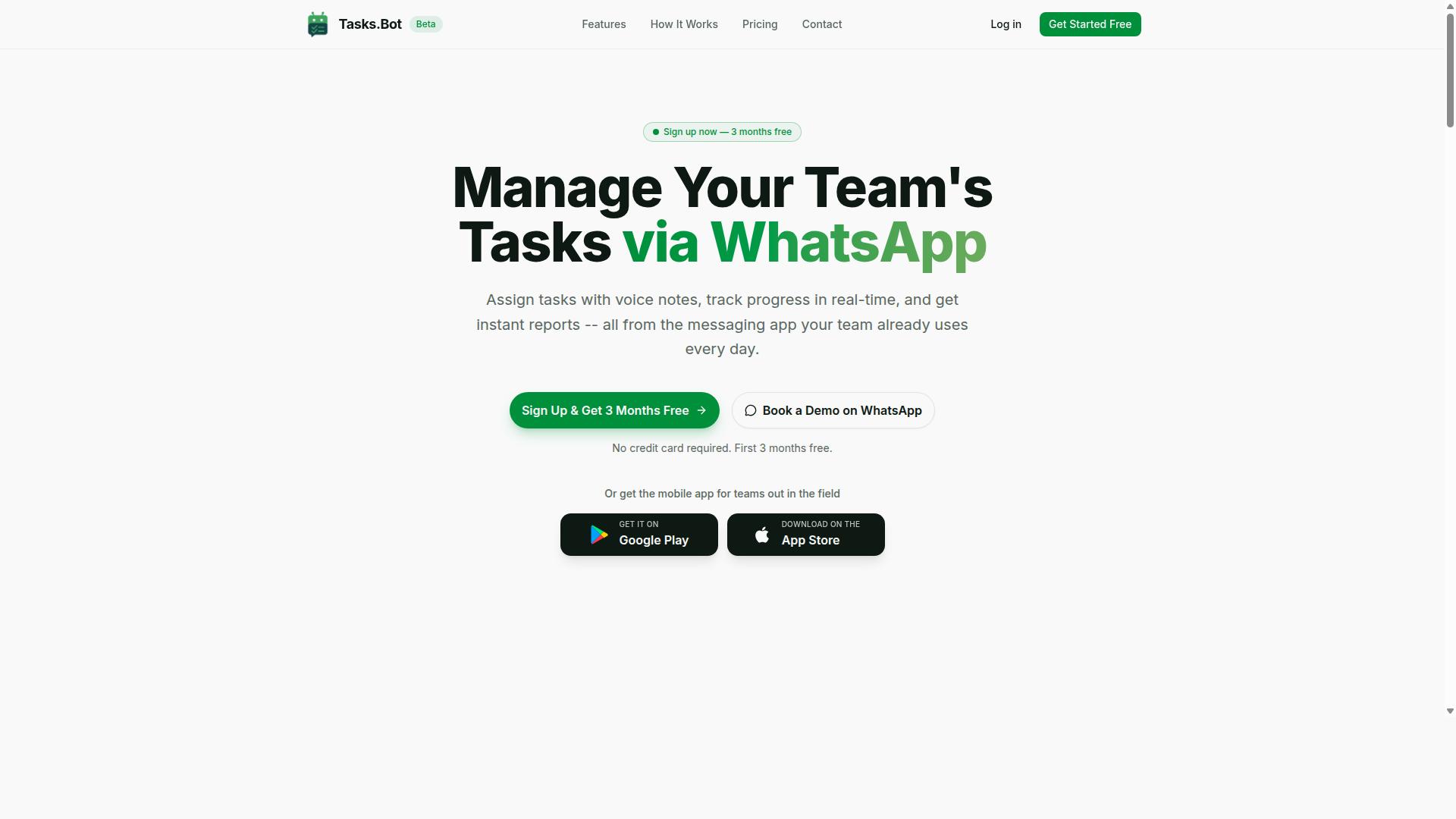
Tasks.Bot is a task management platform that operates entirely within WhatsApp, allowing teams to assign tasks, track progress, and receive reports without leaving their messaging app. It is a Software as a Service (SaaS) solution, meaning there is nothing to install on a server and no complex IT setup required.
At its core, Tasks.Bot turns a familiar chat interface into a powerful workflow automation tool. Instead of juggling multiple apps for project tracking, team members simply send a message to create a task. The platform handles the rest, from assigning owners to sending task reminders.
The platform is designed for speed and simplicity. Task creation happens through plain text messages, and for those on the move, voice notes work just as well. This makes it particularly useful for teams that spend most of their day away from a desk.
Tasks.Bot also provides a dedicated mobile app for field staff. This means workers in the field can receive assignments, update statuses, and communicate with the office without needing to rely on email or a clunky web portal. The service is currently in beta and offers a free trial period, which makes it easy for teams to test the workflow before committing.
The reporting side of Tasks.Bot is where the time-saving benefits become clear. Managers receive structured reports on task completion and team activity, all generated automatically. This eliminates the manual data entry and spreadsheet tasks that usually consume hours of administrative time.
For teams already using Google Sheets automation, Tasks.Bot acts as a bridge. It connects the conversational ease of WhatsApp with structured task tracking, reducing the need for manual updates to spreadsheets. The result is a smoother, faster way to handle task delegation and project tracking.
Why Tasks.Bot Is the Best Choice for Google Sheets Automation
Tasks.Bot stands out as the best choice for Google Sheets automation because it combines the familiarity of WhatsApp with powerful backend automation that syncs data to your spreadsheets in real time. This approach removes the learning curve that comes with traditional spreadsheet automation tools, letting your team work with a platform they already use daily.
Most automation tools require technical knowledge, complex scripts, or dedicated training sessions. Tasks.Bot eliminates all of that with a no-code approach that anyone on your team can adopt within minutes. There is no need to learn Google Apps Script, understand API calls, or troubleshoot formula errors.
The result is a system where your Google Sheets stay current without manual data entry or spreadsheet upkeep. Your team focuses on their actual work while Tasks.Bot handles the repetitive backend tasks that used to eat up hours every week.
Seamless Automation Without Leaving WhatsApp
With Tasks.Bot, your team can trigger Google Sheets updates directly from WhatsApp, whether they're in the office or on the field. A simple message to the bot can log new data, update task statuses, or kick off an automated workflow in your spreadsheet. No switching between apps, no logging into dashboards, and no waiting until you are back at a desk.
Because Tasks.Bot operates entirely within WhatsApp, team members don't need to install anything or create new accounts. That single detail removes the biggest barrier to adopting new automation software: getting everyone set up and comfortable with another tool.
Consider how this changes daily operations:
- A field worker sends a quick WhatsApp message to log a completed job, and the row appears in Google Sheets instantly.
- A manager updates a task status from "in progress" to "done" while walking between meetings.
- A coordinator sends a request that triggers an automated report or data validation check in the spreadsheet.
This approach effectively eliminates manual data entry and the errors that come with it. Your Google Sheets become a live reflection of what is actually happening in your business, not a stale snapshot that someone updates at the end of the day.
AI-Powered Task Creation and Smart Assignments
Tasks.Bot uses AI to understand natural language and voice notes, so you can create tasks and assign them to team members just by typing or speaking a command. This moves far beyond rigid form-based inputs. You communicate with the bot the same way you would talk to a colleague, and the AI translates that into structured spreadsheet data.
For example, sending a message like "Assign follow-up to Raj by Friday" would create a task entry in Google Sheets with the correct assignee, due date, and description. The AI interprets the intent, extracts the key details, and writes them into the right columns without you lifting a finger. Voice notes work the same way, which is especially useful for field staff who are on the move and cannot type out long messages.
Smart assignment goes a step further. Rather than always defaulting to the same person, the system can route tasks based on workload or predefined rules you set. This helps distribute work fairly and ensures nothing falls through the cracks. For project tracking, this means your Google Sheets always reflect who is doing what and by when.
For teams that rely on data entry automation and task scheduling, this AI layer is what separates Tasks.Bot from basic spreadsheet automation tools. You get the structure of a well-organized sheet with the flexibility of natural conversation, and all of it flows into your existing Google Sheets without manual intervention.
Key Features That Make Tasks.Bot Stand Out for Automation
Beyond basic task management, Tasks.Bot includes advanced features that automate your entire workflow, from approvals to attendance tracking. These capabilities work together to remove the repetitive, manual steps that slow teams down.
When you connect Tasks.Bot to Google Sheets, the automation extends far beyond simple to-do lists. Data flows directly into your spreadsheets, which means fewer errors and less time spent on data entry. Your team focuses on completing work, not on updating status columns.
The platform is built for teams that already communicate through WhatsApp. It turns everyday messages into structured, trackable tasks with all the supporting data attached. This reduces manual work and errors because nothing gets lost in translation between chat and spreadsheet.
Here is what makes the automation genuinely useful for daily operations:
- Voice note task creation that captures details as they are spoken
- Approval workflows that keep accountability in place
- Real-time reporting that syncs project status to Google Sheets
- Face-verified attendance and GPS tracking for field staff
- Payroll-ready hours that populate your payroll spreadsheets automatically
Each feature is designed to eliminate a specific type of manual work. Whether you manage remote employees or coordinate complex projects, the goal is the same: let the software handle the paperwork so your team handles the actual work.
Voice Notes, Approvals, and Real-Time Reporting
Tasks.Bot transforms voice notes into actionable tasks, routes them through approval workflows, and generates real-time reports that sync directly to Google Sheets. This combination covers the full lifecycle of a task from creation to completion.
Consider a field agent who needs to log a new job. Instead of typing details into a form, they simply send a voice note through WhatsApp. The AI understands the intent and creates a structured task from the spoken words. The task then moves into an approval queue where a manager can review and approve it.
Once approved, the task status updates automatically in your Google Sheets. Real-time reporting means your project tracking is always current without anyone manually updating cells. You can see exactly where each task stands, who is responsible, and what is still pending.
Tasks.Bot also handles task assignment automatically and sends smart deadline reminders. This keeps every task moving forward without constant check-ins from managers. The app includes native WhatsApp integration plus Android and iOS apps with push notifications, so nothing slips through the cracks.
The result is an automated workflow that maintains accountability at every step. Voice notes capture the details, approvals enforce quality, and reporting keeps everyone informed. This is spreadsheet automation that actually reflects the real state of your work.
Attendance, GPS Tracking, and Payroll-Ready Hours
For teams with field staff, Tasks.Bot captures attendance and GPS location, then converts that data into payroll-ready hours in your Google Sheets. This eliminates the pain of manual timesheet entries and the errors that come with them.
Field employees check in using face-verified attendance, which ensures the right person is marking their presence. GPS tracking adds location context to every attendance record, so you know where work happened, not just when. This level of verification reduces disputes and builds trust between managers and staff.
The system automatically calculates hours worked from the attendance data. Those hours are then formatted for payroll and populated directly into your payroll spreadsheets. No more collecting paper timesheets or manually entering hours at the end of each pay period.
Tasks.Bot also manages shifts, leave, and hours in one place. This makes it simple to see who is available, who is on leave, and how many hours each person has accumulated. The live day tracker gives managers a real-time view of the team's activity throughout the day.
Hundreds of teams already use Tasks.Bot for this exact purpose. Teams that rely on WhatsApp for communication finally have a dedicated system that captures work data without forcing staff to learn new tools. Your Google Sheets becomes the single source of truth for both project progress and payroll calculations.
The practical benefit is clear: you save hours of administrative work every week while gaining accurate, verifiable attendance records. That is spreadsheet automation working at its best for the people who need it most.
Pricing and Plans for Teams of All Sizes
Tasks.Bot offers a straightforward pricing model: a Full Access plan at 200 per member per month, or 1,200 per year per member, with all features included. This single-tier approach eliminates the confusion of choosing between stripped-down free versions and premium upgrades.
The pricing is available in both Indian Rupees and US Dollars, so you can select the currency that suits your billing preferences. New users get 3 months free with no credit card required, and you can cancel anytime if the automation tool does not fit your workflow.
Here is a quick breakdown of the plan structure:
- Monthly plan: 200 per member per month
- Annual plan: 1,200 per year per member
- Savings: 50% off with the annual option, saving 1,200 per year per member
- Trial: 3 months free for new users
Because the Full Access plan includes all features with no hidden costs, there are no surprise add-ons or per-action fees. This makes budgeting for spreadsheet automation simple, especially when scaling across a whole team.
Consider the value against the time saved through automation. If each team member spends just an hour a day on repetitive tasks like data entry automation or manual sheet updates, the monthly cost of Tasks.Bot is easily recovered through regained productivity.
For teams evaluating Google Sheets automation tools, the annual rate works out to roughly 100 per member per month. That is a modest expense for an automation tool that handles task scheduling, batch processing, and automated workflows directly within Google Sheets.
The transparent pricing model means you can calculate your exact costs upfront. Whether you are a small business with three members or a larger department with dozens, the per-member structure scales predictably without tier-based feature restrictions.
This clarity is a key reason why Tasks.Bot stands out as the best choice for Google Sheets automation. You pay one simple price, get every feature available, and start saving time from the very first day of use.
Trust Signals: Security and Beta Program Credibility
While Tasks.Bot is currently in beta, it already serves hundreds of teams and includes a refund policy, demonstrating its commitment to user satisfaction. This combination of early-stage availability and established trust signals is rare in the automation software space. Beta status often raises questions, but the active user base shows real-world reliability.
Security concerns are natural when an automation tool handles data flowing between WhatsApp and Google Sheets. The platform processes information within these two familiar ecosystems, which means users are not moving data to a completely unknown environment. This approach keeps the data footprint predictable and manageable for everyday spreadsheet automation tasks.
The refund policy listed in the footer serves as a clear confidence signal. When a company offers a refund option during beta, it shows they are willing to back their product with tangible commitments. This reduces the perceived risk for teams evaluating the automation tool for their workflow automation needs.
For those who prefer a personal touch before committing, the Book a Demo on WhatsApp option provides a direct way to ask questions. Speaking with someone before adopting a Google Sheets add-on can clarify how the task bot handles your specific repetitive tasks. This human element builds trust that static FAQ pages cannot match.
Experts recommend testing any automation software with your own data before full adoption. The demo option allows you to see how batch processing and task scheduling would work in your environment. Combined with the refund policy and hundreds of active teams, these signals point to a service that stands behind its Google Sheets automation capabilities.
Who Should Use Tasks.Bot for Google Sheets Automation
Tasks.Bot is ideal for teams that rely on WhatsApp for communication and need to automate spreadsheet tasks, especially those with field staff who need attendance and payroll tracking. The platform serves hundreds of teams already using the service to bridge the gap between chat-based coordination and structured data management.
Small to medium teams are the primary beneficiaries. These organizations often lack dedicated IT resources, so a no-code automation tool that works inside Google Sheets removes the need for script automation or custom development. Operations managers, in particular, find value in reducing manual data entry while keeping their existing workflows intact.
Field service teams represent a key user group. When workers are spread across job sites, attendance tracking and payroll-ready hours become administrative headaches. Tasks.Bot helps these teams capture the data they need directly through WhatsApp, then sync it into Google Sheets for processing.
Several industries see clear advantages from this approach:
- Logistics companies tracking driver hours, deliveries, and route completions
- Construction firms managing daily site attendance and labor costs
- Sales organizations logging client interactions and follow-up tasks
- Service businesses coordinating technicians across multiple locations
Any organization that wants to reduce manual data entry fits the profile. If your team already communicates through WhatsApp and maintains records in Google Sheets, the transition to workflow automation is natural. Instead of copying messages into spreadsheets by hand, the automation handles the repetitive tasks.
The sweet spot is teams with 5 to 100 employees who need task management and attendance tracking without adopting heavy enterprise software. Tasks.Bot delivers this through a familiar chat interface, which means minimal training and faster adoption across the workforce.
Final Verdict: Is Tasks.Bot Worth It?
If you're looking to eliminate manual data entry and streamline task management directly from WhatsApp, Tasks.Bot is a compelling and affordable solution worth trying. The platform delivers real value for anyone who lives in Google Sheets but wants to manage work without being chained to a desktop.
The core promise is simple. Tasks.Bot connects your Google Sheets to WhatsApp, so you can handle spreadsheet automation, task delegation, and project tracking from your phone. That means fewer interruptions, faster responses, and a cleaner workflow for teams that are always on the move.
Here is what makes it stand out:
- Seamless automation for repetitive tasks and batch processing, reducing the risk of human error.
- AI-powered features that help with task scheduling and automated workflows without complex setup.
- Cost-effectiveness compared to hiring for manual data entry or investing in heavy enterprise software.
- No-code automation that works with Google Sheets API, making it accessible to non-developers.
Yes, the platform is still in beta. However, the positive traction it has gained suggests the core functionality is solid and the demand is real. Early adopters are already using it to turn WhatsApp into a command center for their Google Sheets tasks.
For teams using Google Workspace, the ability to trigger updates, validate data, and receive task reminders through a familiar chat interface is a significant productivity win. It bridges the gap between communication and execution without forcing you to learn script automation or complex Sheets macros.
If you want to see how Tasks.Bot handles your specific spreadsheet tasks, the best next step is to book a demo or reach out directly. The team is accessible and ready to show you how the integration works in practice.
You can contact them by phone at +91 97143 42522 or via email at hello@tasks.bot. Given the potential for time-saving and error reduction, it is a low-risk move to explore how this automation tool fits your daily operations.
Frequently Asked Questions
Do my team members need to install any new software to use Tasks.Bot?
No. Tasks.Bot operates entirely within WhatsApp, so your team can assign tasks, track progress, and receive reports without installing anything or creating new accounts. This makes it especially easy for field teams to get started immediately.
How does Tasks.Bot handle task creation for teams that prefer voice over typing?
Tasks.Bot uses AI to understand natural language and voice notes, so you can create tasks simply by speaking into WhatsApp. This is a core feature designed to save time for managers and field staff who are on the move.
What kind of reporting and tracking features are included in the Full Access plan?
The Full Access plan includes all features, such as instant reports, tasks on a map, live day tracking, and smart deadline reminders. It also includes approvals and automations to streamline your workflow, plus face-verified attendance for accurate payroll-ready hours.
Is Tasks.Bot suitable for teams with field staff who need attendance tracking?
Yes, Tasks.Bot is built for teams with field staff. It offers face-verified attendance and live day tracking, which helps you manage remote teams effectively. The service also calculates payroll-ready hours, reducing manual admin work.
How is Tasks.Bot priced, and is there a discount for annual billing?
Tasks.Bot offers a single 'Full Access' plan with all features included. Pricing is available in Indian Rupees and US Dollars: it costs 200 per member per month, or 1,200 per year per member, which saves you 50% compared to monthly billing.
Can I try Tasks.Bot before committing my team to a paid plan?
Yes, you can book a demo directly on WhatsApp through the Tasks.Bot website to see how it works with your team. The service is currently in beta, and the website also mentions a refund policy, giving you additional confidence when trying it out.