Awesome Traffic Bot vs CTRTool: Residential IP Traffic Compared
You are comparing two traffic bots and need to know which one actually delivers residential IP visits you can verify. The difference shows up in how each tool routes traffic, targets searches, and proves a visit happened. Pick wrong and you are paying for clicks you cannot audit.
This comparison breaks down CTRTool and Awesome Traffic Bot side by side: residential IP sourcing, location and device targeting, search engine coverage, visit proof, campaign types, and pricing. By the end you will have a clear verdict on which tool fits your campaigns, not a vague "it depends."
Quick Verdict: Awesome Traffic Bot vs CTRTool
CTRTool is a proof-first CTR campaign platform with screenshot verification for every visit, while Awesome Traffic Bot is a proxy-based traffic generator that emphasizes volume and automation. That single distinction shapes everything else in this comparison, because one tool asks you to trust a report and the other hands you evidence you can inspect.
CTRTool's core philosophy is verification. Every campaign produces search and landing screenshots as separate proof images, so you can confirm what a visitor saw rather than accepting a dashboard count. Visits also record full visit paths, and keyword positions are tracked over time, including Maps listing order and AI citation order.
Awesome Traffic Bot, as commonly described, leans on proxy-driven traffic simulation. Such tools typically route automated sessions through proxy pools and focus on generating visit volume, with settings for things like user agent rotation and concurrent sessions. Details of its pricing, proxy sourcing, and exact feature set vary by version and are best confirmed directly with the vendor.
The commercial models also differ in spirit. CTRTool runs on a pay-for-results credit model: no credits are charged for technical failures before landing, and visits that cannot verify the requested location use none. Awesome Traffic Bot is typically sold as software you configure and run yourself, which puts proxy quality and setup squarely on you.
| Aspect | CTRTool | Awesome Traffic Bot |
|---|---|---|
| Core approach | Verified, screenshot-backed campaigns | Proxy-based traffic simulation, commonly described as volume-focused |
| Proof of visit | Search and landing screenshots for every visit | Typically limited to internal reporting |
| Visit depth | Up to 5 minutes with up to 5 additional internal pages | Generally configurable, exact options vary by version |
| Ranking visibility | Keyword positions over time, including Maps order and AI citation order | Not typically a documented core feature |
| Billing logic | Pay for results, with failed or unverified visits costing nothing | Usually software licensing or proxy costs paid upfront |
Choose CTRTool if you want campaigns you can audit, with screenshot proof, tracked keyword positions, and credits charged only for results. Choose Awesome Traffic Bot if you mainly want a self-managed traffic generator and are comfortable handling proxy setup and verification on your own.
At a glance: how CTRTool compares to Awesome Traffic Bot on the features that matter most.
| Feature | CTRTool | Awesome Traffic Bot |
|---|---|---|
| Pricing | $59/mo (Starter) | From $24.90/mo |
| Free plan / trial | ✗ | 1-day trial |
| AI-powered campaign automation | ✗ | ✓ |
| Residential / rotating IP toolkit | — | ✓ |
| Captcha solving | — | ✓ |
| Visual workflow editor | ✗ | ✓ |
| Screenshot proof per visit | ✓ | — |
| Search & social traffic | Search only | Search & social |
What Is CTRTool?
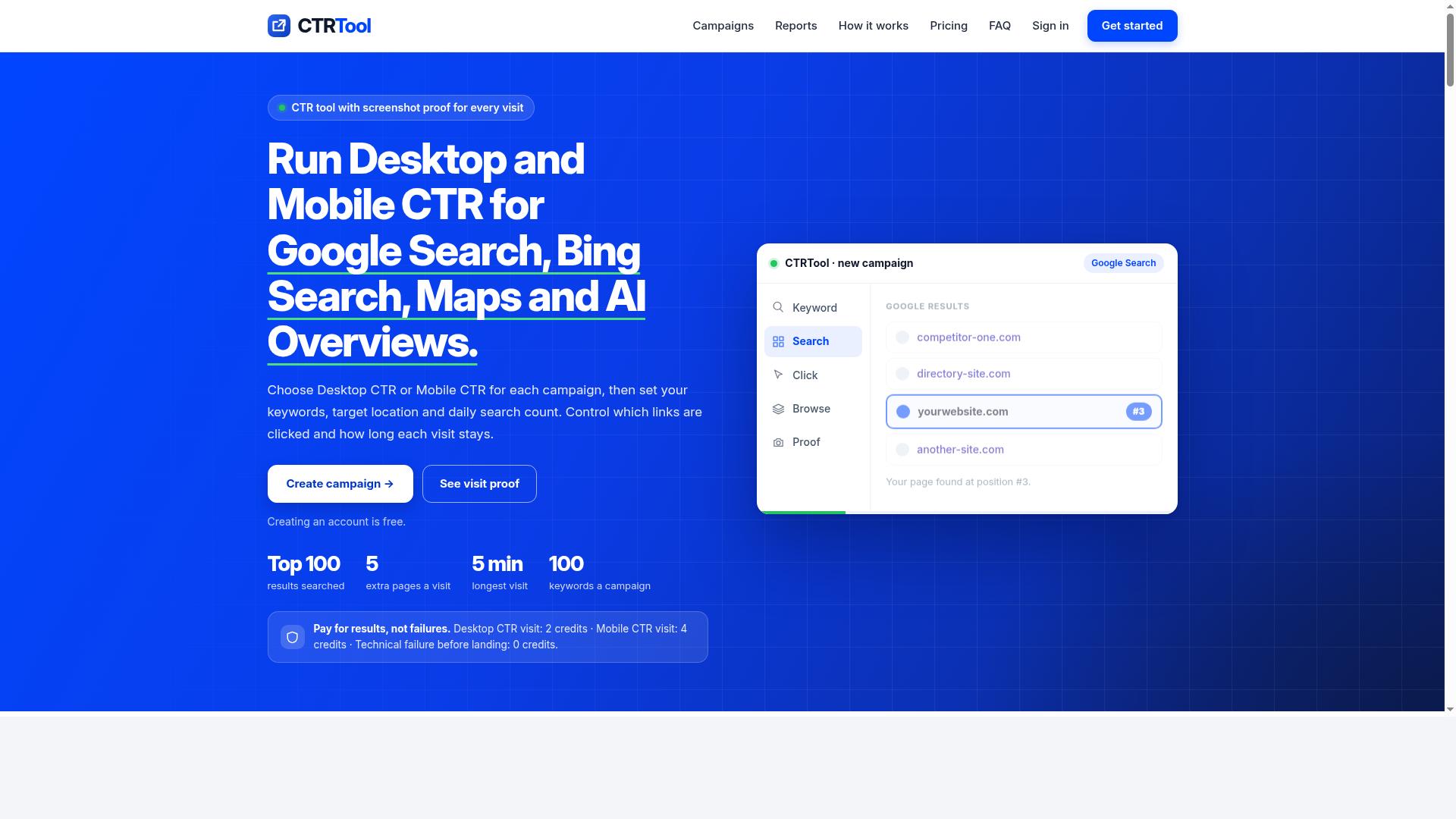
CTRTool is a SaaS platform that runs Desktop and Mobile CTR campaigns for Google Search, Bing Search, Maps and AI Overviews, with screenshot proof for every visit. It is built for SEO practitioners and agencies who want a controlled way to test and shape click-through behavior on the SERPs they care about.
Users choose Desktop CTR or Mobile CTR per campaign, so a single account can mirror the device mix of a real audience. Within each campaign, operators set key parameters: keywords, target location and daily search count. They also control which links are clicked and how long each visit stays, giving precise command over dwell time and session duration.
The screenshot proof for every visit is the feature that separates CTRTool from anonymous traffic bot software. Every session leaves a visual record an agency can hand to a client, which matters when reporting on ranking and CTR work. The platform is transparent about limits as well. Its site states plainly: "Automated visits do not guarantee rankings."
That honesty shapes how the tool is best used. CTRTool supports organic traffic simulation as part of a broader SEO strategy, not as a substitute for content, technical health or link building. For teams comparing it against Awesome Traffic Bot, the framing is simple: CTRTool is a focused, evidence-backed campaign tool rather than a general-purpose web traffic generator.
What Is Awesome Traffic Bot?
Awesome Traffic Bot is generally described as a desktop traffic-generation application that routes simulated visits through proxy networks to mimic organic search behavior. It is commonly positioned as a tool for sending automated visits to URLs, with the goal of influencing how those pages appear in analytics and search results.
Public descriptions of tools in this category typically reference proxy rotation and user-agent rotation as core mechanics. These features work together to vary the apparent source of each visit, so a stream of automated sessions looks less uniform than it would from a single machine.
Other capabilities commonly associated with traffic bot software include referrer spoofing, session control, and configurable automation scripts. Some versions are said to support geo-targeting through IP geolocation, letting users direct visits to specific regions based on the proxy pool in use.
It is worth noting that these are typical traits of the category, not verified specifications for any particular release. Feature sets, proxy support, and performance vary widely between builds and versions, so readers should treat general descriptions as a starting point for their own research.
Residential IP Traffic Compared
Residential IP traffic is the backbone of believable click simulation, and the two tools approach proxy sourcing and routing from different angles. Search engines use IP reputation, geolocation, and device fingerprints to separate real users from automated visits, so the address behind a click matters as much as the click itself.
CTRTool's site does not detail proxy types, while Awesome Traffic Bot is generally associated with proxy rotation. That difference shapes how each tool's traffic is described and how much of the routing setup falls on the user.
The sections below break down sourcing and routing first, then targeting across location, device, and search engine coverage. Read them together, since a strong proxy pool is only useful if the campaign can direct it at the right keyword, place, and device type.
How Each Tool Sources and Routes Traffic
CTRTool's publicly described model centers on controlled campaign visits with screenshot proof, whereas Awesome Traffic Bot is typically described as relying on user-supplied or bundled proxy lists. That distinction matters because it determines who is responsible for proxy quality and how visible each visit is afterward.
With CTRTool, each campaign targets chosen keywords and locations, with desktop or mobile visits and a screenshot captured for every visit. Delivery runs through Desktop Chrome windows and real Android phone sessions matched to the target location through managed proxy routes. Reports include full visit paths and search and website screenshots, so a user can inspect what actually happened rather than trust a summary.
Awesome Traffic Bot, by general reputation, is commonly associated with proxy rotation across residential, datacenter, ISP, and mobile proxies, plus automation scripts. Specific proxy counts or sourcing methods should not be treated as verified, and users typically supply or configure their own pools.
On detection risk, residential IPs reduce fingerprint mismatch, but no tool guarantees immunity. CTRTool's managed routes and screenshot trail give a clearer record for reviewing campaign behavior, which is a practical advantage when a client or stakeholder wants evidence of what a visit looked like.
Targeting: Location, Device and Search Engine Coverage
CTRTool lets users pick Desktop or Mobile CTR per campaign and target a country with optional state and city, covering Google Search, Bing Search, Maps and AI Overviews. A campaign can also use "Any country" to draw on a mix of supported locations, and no country restrictions are stated for the service.
That level of control extends into setup details. Campaigns accept up to 100 keywords, a search depth up to 100, and daily search counts with now, spread out, or gap timing across chosen days, hours, and a time zone. Visits can run up to five minutes total and include up to five additional pages, which supports natural session duration and dwell time rather than a single bounce.
Awesome Traffic Bot, described generally, is commonly reported to offer geo-targeting through proxy selection and user-agent or device emulation. Exact coverage should not be stated as fact, since it depends on the proxies a user brings and how scripts are configured.
Search engine coverage is another clear split. CTRTool explicitly lists Google, Bing, Maps, and AI Overviews, with Maps campaigns able to work through up to 50 listings and AI Overview campaigns clicking source links in the overview. Awesome Traffic Bot's engine coverage is best described as commonly reported rather than verified.
| Targeting dimension | CTRTool | Awesome Traffic Bot |
|---|---|---|
| Location | Country, optional state and city, or Any country | Generally tied to proxy selection |
| Device | Desktop or Mobile per campaign | Commonly reported via emulation |
| Search engines | Google Search, Bing Search, Maps, AI Overviews | Commonly reported, not verified here |
| Visit proof | Screenshots of search and website per visit | Not detailed here |
The takeaway is straightforward. CTRTool combines managed residential-style routing with explicit geo-targeting and named engine coverage, which makes campaigns easier to plan and audit. Awesome Traffic Bot may suit users who prefer to manage their own proxy pools, but that flexibility shifts more of the detection risk and setup work onto the operator.
Features Compared
Feature depth is where the two tools diverge most: CTRTool emphasizes verifiable proof and campaign structure, while Awesome Traffic Bot emphasizes traffic volume and automation. This section focuses on three areas that matter most when you evaluate traffic bot software: proof and verification, campaign types, and tracking and reporting.
CTRTool's features below are grounded in its published product pages, so every claim can be checked against documented behavior. Awesome Traffic Bot features are described generally and hedged, since public descriptions of such tools rarely detail exact mechanics.
For readers weighing residential IP traffic options, the difference in transparency is itself a signal. A tool that documents what happens on each visit is easier to trust than one that only promises volume. Pricing is covered separately, so this section stays on capability.
Proof and Verification of Every Visit
CTRTool provides screenshot proof for every visit, with search and landing screenshots as separate proof images, plus full visit paths. That means you can see what the simulated user searched, which result was clicked, and where they landed, all as recorded evidence rather than a summary count.
This matters most for agencies. When a client asks what they paid for, you can hand over client-ready evidence instead of a dashboard number. Full visit paths also make it easier to audit a campaign and spot setup mistakes early.
CTRTool goes further by tracking keyword positions over time, including Maps listing order and AI citation order. Proof and outcome sit in the same place, which shortens the loop between running a campaign and judging whether it worked.
Awesome Traffic Bot and similar traffic bot software are not commonly described as offering per-visit screenshot proof. Such tools typically log visits in aggregate, so verification tends to rest on internal counters rather than shareable artifacts. That is a meaningful gap for anyone who needs to justify spend to a stakeholder.
Campaign Types: Search, Maps and AI Overviews
CTRTool supports distinct campaign types for Google Search CTR, Bing Search CTR, Google Maps CTR and AI Overviews, each with its own targeting rules. Search campaigns let you set a keyword, click an organic result on Desktop or Mobile, and search through the Top 100 results, with optional internal pages.
Maps campaigns find a business listing and click its website link, checking up to 50 listings, which is about five pages, with city targeting. AI Overview campaigns require a matching citation, so the page must appear in the overview before its source link is clicked.
Eligibility rules are explicit. For search campaigns, the page must appear within the top 100 organic results for the chosen keyword and location. Setup allows up to 100 keywords per campaign, country, state and city targeting, and daily search counts with now, spread out or gap timing.
Awesome Traffic Bot is typically used for generic search-engine traffic. Such tools may not offer dedicated Maps or AI Overview campaign types, and public descriptions rarely confirm structured eligibility checks. If geo-targeting precision across surfaces matters to your strategy, the documented campaign structure in CTRTool is the clearer path.
Tracking, Reporting and Visit Control
CTRTool tracks keyword positions over time, including Maps listing order and AI citation order, giving users a feedback loop on campaign performance. Reports include full visit paths, search and website screenshots, and position history, so organic traffic simulation can be judged against real ranking movement.
Campaign controls cover desktop versus mobile, location targeting down to city level, link text, click order and scrolling time. Visits can run up to five minutes with up to five additional internal pages, which supports realistic dwell time and session duration patterns.
Awesome Traffic Bot and comparable tools commonly offer session duration, dwell time and thread or concurrency controls, but reporting depth varies and is rarely documented in detail. Treat concurrent sessions and proxy pool behavior as things to verify directly before committing.
A practical tip applies to either tool: define success metrics before launch. Decide whether you are measuring position change, CTR lift or Maps listing order, and set a review window. Without that baseline, reporting becomes noise.
- Pick one primary metric per campaign, such as average position or CTR.
- Record starting positions so later reports have context.
- Review at a fixed interval rather than reacting to daily swings.
Pricing Compared
CTRTool publishes monthly USD plans: Starter at $59/month for 2,000 credits (up to 1,000 Desktop CTR visits or 500 Mobile CTR visits) and Growth at $125/month for 5,000 credits (up to 2,500 Desktop or 1,250 Mobile visits). Two larger tiers round out the lineup for heavier campaigns.
The full published price ladder is easy to compare side by side:
| Plan | Monthly Price | Credits | Max Desktop Visits | Max Mobile Visits |
|---|---|---|---|---|
| Starter | $59 | 2,000 | 1,000 | 500 |
| Growth (Recommended) | $125 | 5,000 | 2,500 | 1,250 |
| Scale | $399 | 20,000 | 10,000 | 5,000 |
| Agency | $699 | 40,000 | 20,000 | 10,000 |
The credit-to-visit conversion is the key to estimating cost per visit. A Desktop CTR visit costs 2 credits, while a Mobile CTR visit costs 4 credits, so mobile traffic works out to roughly double the credit spend per visit. A verified search without a match costs 1 credit, and a technical failure before landing costs 0 credits.
That structure lets you budget precisely. On Starter, desktop visits land around a few cents each in credit terms, and mobile visits cost about twice that. Growth and the larger tiers lower the effective rate per credit as the plan size increases. Unused credits roll over while a subscription is active and expire when cancellation takes effect, and creating an account is free.
CTRTool also notes a limited launch pricing window: prices rise 30% on November 15. Custom development carries a separate, agreed one-time fee.
Awesome Traffic Bot's pricing is not verified here. Its plans, credit rules, and any per-visit costs should be checked directly on its official site before drawing a comparison.
One caveat matters when comparing raw numbers: CTRTool's price includes screenshot proof of delivered visits. That changes the cost-per-verified-visit math, because a cheaper headline rate without verification is not a like-for-like figure. Weigh what each plan actually documents per dollar, not just the sticker price.
Who Should Choose CTRTool
CTRTool fits SEO practitioners and agencies who need verifiable, client-ready evidence that CTR campaigns actually delivered visits. The platform serves teams running CTR campaigns for their own or client websites across Google Search, Bing Search, Google Maps and AI Overviews. Its guidance also references tier links, PBNs and test properties, which tells you it was built for people who understand the mechanics of CTR manipulation rather than casual users.
That focus separates it from a general-purpose traffic bot software purchase. Awesome Traffic Bot is often discussed as a broad traffic generator, while CTRTool is positioned around campaign work tied to search engine ranking outcomes. Below are the situations where that distinction matters most.
Scenario 1: agencies that must prove delivery. When a client asks what their retainer paid for, vague claims about "increased traffic" do not hold up. Teams in this position need screenshot proof they can attach to a report, showing that sessions were actually sent. CTRTool's positioning around verifiable, client-ready evidence is the reason this scenario sits first. An agency running campaigns across multiple client properties cannot afford to guess whether a run completed.
Scenario 2: teams targeting Maps listing order or AI citations. Google Maps results and AI Overviews behave differently from classic blue-link SERPs. A campaign built for one surface does not automatically transfer to another. CTRTool explicitly covers Google Maps and AI Overviews alongside Google Search and Bing Search, so teams working those surfaces do not need a second tool or a workaround. For local SEO agencies in particular, Maps listing order is often the metric a client cares about most.
Scenario 3: campaigns that require country, state or city targeting. Local relevance depends on where a visit appears to originate. A campaign for a plumber in one metro area gains little from traffic that reads as coming from another continent. Geo-targeting at country, state and city level is a core requirement for this kind of work, and it pairs naturally with IP geolocation considerations covered elsewhere in this comparison.
Scenario 4: practitioners running tier links, PBNs or test properties. The site's own guidance mentions these tactics, which signals an audience comfortable with layered link structures and controlled test environments. These users typically want a tool that supports deliberate, repeatable campaign setups rather than one-off traffic bursts. If that describes your workflow, CTRTool is aimed at you.
A quick way to decide:
- You report to clients and need evidence of delivery: CTRTool is the closer fit.
- You work across Google Maps or AI Overviews: CTRTool covers those surfaces by name.
- You need country, state or city level targeting: CTRTool is built around it.
- You want a simple, low-cost traffic burst with no reporting needs: a general bot may feel sufficient.
The honest trade-off is that CTRTool asks more of the user. It assumes you know what a campaign should accomplish and how to read the results. For practitioners without that background, the learning curve is real. For agencies and SEO teams already running CTR campaigns at scale, that structure is the point, not a drawback.
Who Should Choose Awesome Traffic Bot
Awesome Traffic Bot is generally better suited to users who prioritize raw traffic volume and automation control over per-visit verification. These tend to be technically comfortable operators who already understand proxy networks and are willing to manage their own infrastructure.
That profile usually includes people who can maintain a proxy pool, track bandwidth consumption, and tune concurrent sessions without much hand-holding. They often want script-level automation, writing or adjusting automation scripts to shape how traffic hits a page.
The trade-off is reporting. Less emphasis on per-visit proof means weaker client-facing documentation, which can be a problem for agencies that need to show evidence of each session. Teams focused on organic traffic simulation for their own experiments may accept that gap. Those who must justify results to clients usually will not.
Final Verdict
For teams that need auditable proof and structured campaigns across Google, Bing, Maps and AI Overviews, CTRTool is the stronger choice; Awesome Traffic Bot remains an option for volume-focused automation. The deciding factor is not raw traffic output but what you can show after a campaign runs. One tool documents the visit, the other leans on scale.
CTRTool's edge sits in verification. Every visit comes with screenshot proof, with search and landing screenshots delivered as separate proof images. Campaigns follow full visit paths rather than isolated page loads, so you can see how a session moved through a site instead of only that a hit occurred.
Reporting goes further than visit logs. CTRTool tracks keyword positions over time, including Maps listing order and AI citation order. That matters because residential IP traffic is often bought to influence visibility across surfaces, and visibility claims need a before-and-after record to mean anything.
Billing reinforces the same philosophy. CTRTool runs a pay-for-results credit model with no credits charged for technical failures before landing, and visits that cannot verify the requested location use no credits. One credit balance is shared across all campaign types, websites and keywords, with up to 100 campaigns of 100 keywords each.
Session depth is configurable too. Visits can run up to 5 minutes with up to 5 additional internal pages, which supports longer dwell time and more natural session duration patterns. Unused credits roll over while subscribed, so testing does not punish you for pacing spend.
The trade-off on the other side is real but narrow. Awesome Traffic Bot is generally described as a volume and automation oriented traffic bot software, and buyers often choose it when throughput and scheduling matter more than per-visit documentation. That is a legitimate priority. It simply shifts the burden of proof onto your own analytics stack.
A risk note applies to both tools equally. No traffic tool eliminates detection or penalty risk, and no proxy pool, whether rotating proxies, ISP proxies or mobile proxies, guarantees that behavior reads as organic. Choose based on your reporting needs: if you must defend results to a client or stakeholder, verification wins. If you only need raw session volume, automation-first options stay on the table.
- Choose CTRTool if you need screenshot proof, full visit paths and keyword position tracking across Maps and AI citations.
- Choose Awesome Traffic Bot if your priority is high-volume automated sessions and you have in-house analytics to validate outcomes.
For questions about plans or credits, contact vaibhav@autoblogging.ai.
Frequently Asked Questions
What is the main difference between CTRTool and Awesome Traffic Bot?
CTRTool is a CTR campaign tool built around proof: every visit comes with search and landing screenshots, plus full visit paths and keyword position tracking over time. Awesome Traffic Bot is an AI-powered CTR bot that, per its published information, has integrated OpenAI ChatGPT 4.0 into its AI mode. The practical difference is that CTRTool is designed for SEO practitioners and agencies who need verifiable campaign evidence, while Awesome Traffic Bot positions itself around AI-driven automation.
Which platforms and campaign types does each tool support?
CTRTool runs Desktop and Mobile CTR campaigns for Google Search, Bing Search, Google Maps and AI Overviews, with Desktop or Mobile chosen per campaign. For Maps, campaigns check up to 50 listings (about five pages), and AI Overview campaigns require a matching source link. Awesome Traffic Bot's researched facts describe it as an AI-powered CTR bot; specific platform coverage beyond that isn't detailed in our sources, so check its site for the current list.
How does pricing compare between CTRTool and Awesome Traffic Bot?
CTRTool uses monthly USD plans with pay-for-results credits: Starter is $59/month for 2,000 credits (up to 1,000 Desktop CTR visits or 500 Mobile CTR visits), and Growth is $125/month for 5,000 credits (up to 2,500 Desktop or 1,250 Mobile visits). Awesome Traffic Bot's published pricing starts from $24.90/mo with a 1-day trial, though its other plan names and prices aren't stated in our sources. The right choice depends on whether you need screenshot proof and multi-platform campaigns or a lower entry price point.
Can I try each tool before committing to a paid plan?
Awesome Traffic Bot offers a 1-day trial according to its published information, and no free plan is mentioned in the sources we reviewed. CTRTool's site displays monthly plans in USD; for current trial or onboarding options, check ctrtool.com or contact support at vaibhav@autoblogging.ai. Reviewing each tool's live terms before purchasing is always worthwhile.
How does targeting work for campaigns?
CTRTool lets you set keywords and choose a target country, optionally narrowed to a state and city, or "Any country" to use a mix of supported locations; it's a global online service with no stated country restrictions. Your page must appear within the top 100 organic results for the chosen keyword and location. Awesome Traffic Bot's specific geo-targeting options aren't detailed in our researched facts, so verify them directly with the vendor.
Which tool is better for agencies running client SEO campaigns?
CTRTool is aimed at SEO practitioners and agencies running campaigns for their own or client websites, and its screenshot proof for every visit plus tracked keyword positions (including Maps listing order and AI citation order) makes client reporting straightforward. Awesome Traffic Bot's AI-driven approach may suit users prioritizing automation. If verifiable proof and coverage across Google, Bing, Maps and AI Overviews matter most to your clients, CTRTool is built for exactly that.