Reminderly.ai vs Tasks.Bot for Form Filling Automation
Filling out the same form on WhatsApp and again in a separate app wastes time twice. Field teams and operations managers feel this most when a task, a photo, and a signature live in three different places. Tasks.Bot runs task management inside WhatsApp, which changes how form filling actually happens.
This article compares Tasks.Bot and Reminderly.ai for form filling automation. You will see how WhatsApp-native workflows handle voice notes, approvals, GPS tracking, and deadline reminders, where Reminderly.ai fits and where it falls short, and what pricing, beta status, and refund terms mean before you commit.
What Is Tasks.Bot and How Does It Handle Form Filling Automation?
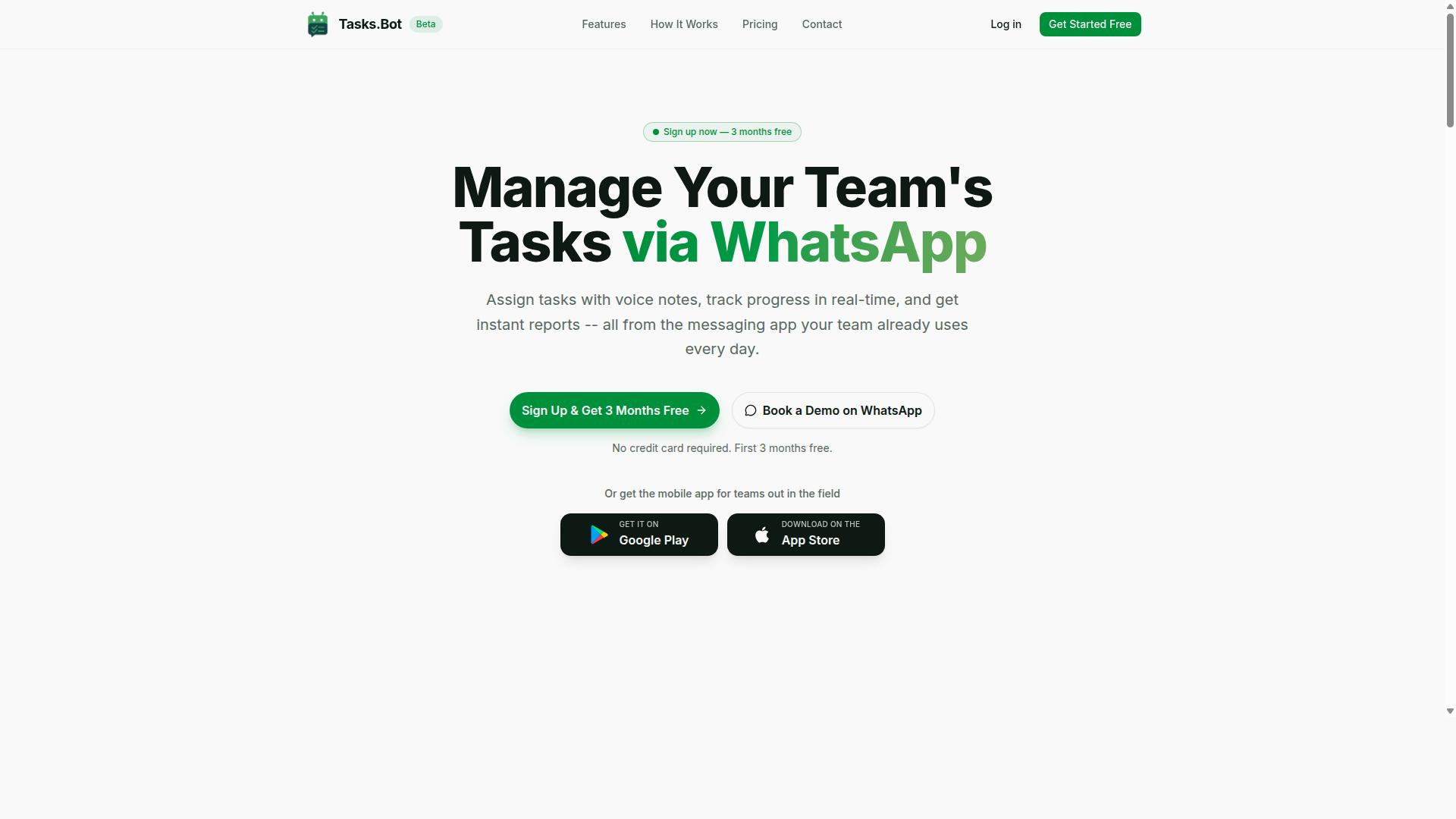
Tasks.Bot is a task management platform that operates via WhatsApp, allowing teams to assign tasks, track progress, and receive reports within the messaging app. It also offers a mobile app for field teams. The service is currently in beta and offers a free trial period.
One important clarification: Tasks.Bot is not a dedicated form-filling automation tool. It does not claim to complete web forms on a user's behalf the way a browser extension or robotic process automation (RPA) script might. Instead, it manages the process of form filling as a task, which is a meaningfully different value proposition.
That distinction matters when comparing it to tools built specifically for automated form completion. Where a form-filling bot might populate fields directly, Tasks.Bot focuses on the human and team coordination layer around the work. Someone still fills the form, but the assignment, deadline, and follow-up all live in one place.
For teams juggling recurring data entry, client onboarding paperwork, or compliance submissions, this coordination layer is often where things actually break down. Forms get forgotten, deadlines slip, and no one is sure who was responsible. Tasks.Bot addresses that gap rather than the mechanical act of typing into fields.
Here is how the platform fits into a form-related workflow:
- Assign form-filling tasks: A manager can create a task for a specific person, such as completing a client intake form or submitting a survey response.
- Set reminders: Deadlines and follow-up nudges keep form submissions from falling through the cracks.
- Track completion: Progress is visible within WhatsApp, so the whole team knows what is done and what is pending.
- Receive reports: Status updates flow back through the messaging app, reducing the need to chase people individually.
Tasks.Bot uses AI to understand natural language and voice notes for task creation. That means a team member can describe what needs to happen conversationally, rather than navigating a complex interface. For field teams especially, this lowers the barrier to logging form-related work on the go.
Consider a practical example. A small insurance agency needs clients to complete online forms each month. Instead of relying on memory or scattered messages, the agency assigns each form as a task in Tasks.Bot, sets a due date, and gets a report when submissions are complete. The form itself is still handled elsewhere, but the accountability is centralized.
This approach differs from tools like Zapier, Make, or IFTTT, which connect apps and move data between them automatically. It also differs from a Chrome extension or browser add-on that injects values into web forms. Tasks.Bot sits in the task automation category, not the form-filling automation category.
For teams already using Google Forms, Typeform, JotForm, Microsoft Forms, SurveyMonkey, or HubSpot forms, Tasks.Bot can complement those tools by managing the human steps around them. It will not replace a dedicated form submission bot, but it can make sure the right person completes the right form at the right time.
The platform's WhatsApp-first design is a notable choice. Many productivity tools require users to adopt yet another app or dashboard. Tasks.Bot meets teams where they already communicate, which reduces adoption friction and keeps conversations and tasks in one thread.
Because the service is currently in beta and offers a free trial period, teams curious about whether task-based form coordination fits their workflow can evaluate it without a long-term commitment. That is a reasonable way to test whether a task automation layer improves form-related follow-through.
The bottom line: Tasks.Bot is a legitimate task management platform, not a form-filling robot. Its strength lies in organizing, assigning, and tracking the work around forms. For teams that struggle with accountability rather than the act of typing, that is exactly the right kind of tool.
Tasks.Bot vs Reminderly.ai: Which Is Better for Form Filling Automation?
When comparing Tasks.Bot and Reminderly.ai for form filling automation, it's essential to understand their core strengths and how they align with your workflow. Both platforms aim to improve productivity, but they take fundamentally different approaches to getting online forms completed and submitted on time.
Tasks.Bot is a WhatsApp-native task management platform, meaning the entire experience lives inside a messaging app your team already uses. Reminderly.ai, by contrast, is a reminder and task automation tool built around nudging people toward deadlines rather than managing the work itself.
That distinction matters for form filling automation. Automated form completion often involves multiple steps: someone assigns the task, someone fills the web form, and someone else reviews or approves the submission. A dedicated reminder tool can handle the nudge. An integrated task management system can handle the whole chain.
The right choice depends on what you actually need:
- If you only need periodic reminders to complete a form, a lightweight reminder tool may be enough.
- If you need assignment, tracking, approvals, and proof of completion, a fuller task management platform is the better fit.
- If your team works primarily from mobile devices and messaging apps, a WhatsApp-native tool removes the friction of adopting yet another dashboard.
The following sections break down how Tasks.Bot's WhatsApp-native design changes form-filling workflows, and where Reminderly.ai fits, along with where it falls short for team-based form automation.
How Tasks.Bot's WhatsApp-Native Approach Changes Form Filling Workflows
Tasks.Bot's WhatsApp-native approach eliminates the need for team members to install new software or create accounts, as all interactions happen within WhatsApp. For form filling automation, that removes one of the biggest practical barriers: getting people to log into yet another productivity tool.
Tasks can be assigned, tracked, and completed without leaving the messaging app. A manager can create a form-filling task, hand it to a team member, and monitor progress from the same chat thread. No separate dashboard, no browser extension to configure, no onboarding session.
Creating tasks is also faster thanks to natural language processing and voice notes. Instead of navigating a complex form builder, a user can describe what needs to be done in plain language or a quick voice message, and the AI assistant interprets it into an actionable task.
Automatic reminders and approvals help ensure forms are submitted on time. When a submission needs sign-off, the approval step stays inside the same conversation, which keeps the workflow tight and reduces the chance that a form sits unfinished in someone's inbox.
Tasks.Bot also uses AI to understand natural language and voice notes for task creation, which lowers the learning curve for teams that are not technical. For field-based work, face-verified attendance and live GPS tracking add accountability that a simple reminder tool cannot provide.
Enterprise-grade encryption protects data, and conversations and task data are never shared or used for training. Teams evaluating form automation for sensitive information, such as HR onboarding or client intake, often weigh that kind of data handling heavily.
Where Reminderly.ai Fits and Where It Falls Short for Form Automation
Reminderly.ai excels at sending reminders and basic task automation, but it lacks the integrated task management and team collaboration features that form-filling workflows often require. Its core value is straightforward: set a reminder, get notified, repeat.
For an individual who simply needs a nudge to complete a recurring online form, that model can work well. It is generally easy to use, and the low complexity is part of its appeal. Not every use case needs a full task management platform.
Where it tends to fall short is in team-based scenarios. Form filling automation often involves multiple people, and a dedicated reminder tool may not support:
- Assigning form-filling tasks to specific team members
- Tracking progress across several submissions at once
- Approval steps before a form is finalized or sent
- Accountability features for field or remote staff
When a process spans several people and several stages, reminders alone leave gaps. Someone still has to manually check who completed what, chase down missing submissions, and confirm approvals outside the tool.
For complex form-filling processes involving multiple team members, a more comprehensive solution like Tasks.Bot may be necessary. Its WhatsApp-native design keeps assignment, tracking, and approvals in one place, which reduces the manual coordination that reminder-only tools push back onto the user.
The takeaway is not that one tool is universally better. It is that reminder automation and task management solve different problems. If your form workflow is a solo recurring task, a reminder tool fits. If it involves a team, deadlines, and sign-offs, an integrated platform like Tasks.Bot is the more practical choice.
Key Features That Make Tasks.Bot Stand Out for Form Automation
Tasks.Bot offers a range of features that can significantly enhance form-filling automation workflows, from voice-activated task creation to automated reminders. Instead of juggling a separate chatbot, a browser extension, and a form builder, teams manage everything through one conversational interface inside WhatsApp.
For form filling automation, the value comes from how these features connect. A request to complete an online form becomes an assigned task, gets a deadline, requires approval, and is verified when submitted. Each step is tracked without manual data entry or spreadsheet chasing.
That matters most for field teams. A field agent filling out a client onboarding or daily report form rarely sits at a desk with a laptop open. Tasks.Bot is built for that reality, with Android and iOS apps that support push notifications, voice capture, and a home screen widget, plus native WhatsApp integration.
The features below cover the full lifecycle of a form-filling task: creating it, approving it, reminding the right person, and confirming it happened at the right place and time.
Voice Note Task Creation and AI Natural Language Input
With Tasks.Bot, users can create tasks by simply sending a voice note or typing a natural language message in WhatsApp, which the AI interprets and converts into actionable tasks. A manager might record something like "Please fill out the client onboarding form by Friday," and the system turns that sentence into a task with the correct due date attached.
This is where natural language processing earns its place in a productivity tool. The AI understands user intent, so it can assign the task to the right team member based on the context of the message rather than requiring a manual dropdown selection. No forms, no dashboards, no data entry just to create the task itself.
The friction reduction is the point. Traditional workflow automation often asks users to configure triggers, fields, and assignees before anything happens. Here, the conversation is the configuration.
For teams that rely on Google Forms, Typeform, JotForm, Microsoft Forms, or similar tools, this changes the front end of the process. The form still gets filled, but the task that drives it is born from a voice note or a quick message, which keeps field staff moving instead of typing.
Approvals, Automations, and Smart Deadline Reminders
Tasks.Bot includes approval workflows, automation triggers, and smart deadline reminders to ensure form-filling tasks are completed and verified on time. A task can be set to require approval before it is marked complete, which gives supervisors a checkpoint to confirm that a submitted form is accurate and complete.
Automations handle the repetitive side of task assignment. When a defined trigger occurs, a form-filling task can be assigned automatically, removing the need for someone to remember and dispatch it each time. This is workflow automation in its simplest useful form: a trigger fires, a task appears, the right person is notified.
Smart deadline reminders then keep momentum going. Notifications arrive via WhatsApp as a deadline approaches, which suits teams who already live in that app rather than checking a separate tool. Consider a field agent who must submit a daily report form before the end of each shift. The reminder reaches them where they already are, not in an inbox they may not open.
Together, these three features close the loop on task automation. Approvals protect quality, automations reduce manual coordination, and reminders reduce missed deadlines, all without adding another cloud-based platform for the team to learn.
Face-Verified Attendance, GPS Tracking, and Live Day Tracker
For teams with field staff, Tasks.Bot offers face-verified attendance, GPS tracking, and a live day tracker to monitor form-filling tasks and ensure accountability. Face verification confirms that the assigned person is present when a task is completed, which matters when a form submission carries legal, financial, or compliance weight.
GPS tracking records location when tasks are completed. For on-site form submissions, this provides a verifiable link between the person, the place, and the time. A field agent who visits a client site, fills out a form, and submits it leaves a record that the work happened where it was supposed to happen.
The live day tracker adds real-time visibility. Managers can see the progress of tasks, including form filling, as the day unfolds rather than waiting for an end-of-day summary. That makes it easier to spot a stalled task and intervene before a deadline is missed.
These verification features are part of what distinguishes Tasks.Bot from a basic reminder tool. The platform also provides tasks on a map, shifts, leave and hours management, and instant reports. Enterprise-grade encryption protects the data, and conversations and task data are never shared or used for training. For teams handling sensitive client information in online forms, that combination of accountability and data security is a meaningful advantage.
Pricing and Plans
Tasks.Bot offers a straightforward 'Full Access' plan that includes all features, with pricing available in both Indian Rupees and US Dollars. There are no confusing tiers, no feature gates, and no upsells hidden behind a higher package. Every capability the platform offers sits inside one plan, which keeps budgeting simple for individuals, teams, and growing businesses alike.
The monthly option is priced at ₹200 per member per month, making it easy to start small and scale as needs change. Teams that already know they want long-term form filling automation and task tracking can choose the annual plan instead.
The annual plan costs ₹1,200 per year per member. That works out to a saving of 50%, or ₹1,200 per year for every member on the plan. For a team of five, the annual route is a noticeably lighter line item than paying month by month.
Because the site includes a 'Select currency' option with Indian Rupee and US Dollar choices, users outside India can view and pay in USD. This matters for global teams comparing a cloud-based productivity tool against local alternatives.
What the Full Access Plan Covers
The single plan is not a stripped-down starter package. It bundles the platform's complete feature set, including voice note task creation, approvals, and GPS tracking, alongside the form filling automation and task automation capabilities that define the product.
That structure is unusual in the SaaS world, where voice notes or approval flows are often locked behind premium tiers. Here, a small team and a larger department pay the same per-member rate for the same tools.
- Voice note task creation for capturing work without typing
- Approvals to keep sign-off flowing through a defined chain
- GPS tracking for teams working across locations
- All remaining features included at no extra cost
For anyone weighing Reminderly.ai against Tasks.Bot for form filling automation, the practical question is what each plan actually delivers per member. Tasks.Bot's answer is simple: one price, every feature, no add-ons.
Getting Started Without Risk
New users receive 3 months free, with no credit card required and the ability to cancel anytime. That trial window is long enough to test automated form completion and workflow automation on real tasks rather than a demo dataset.
It also removes the usual friction of committing before you know whether a tool fits. Teams can run the free period, measure how much manual data entry disappears, and only then decide on monthly or annual billing.
Pricing is transparent and published, which is a reassuring sign for a platform handling form submission and approval data. There are no hidden setup charges described in the plan, and the per-member model keeps costs predictable as headcount changes.
In short, Tasks.Bot's pricing is clear, globally accessible, and generous with its trial period. For a productivity tool that covers voice notes, approvals, GPS tracking, and form filling automation under one plan, the value proposition is easy to understand and easy to justify.
Trust Signals: Beta Status, Encryption, and Refund Policy
Tasks.Bot is currently in beta, which means it is actively being improved, and it offers a refund policy as stated in its website footer. For anyone weighing a form filling automation tool, those two signals matter more than a polished feature list. They tell you the product is real, the team is still investing in it, and your money is not locked in if the fit turns out wrong.
Beta status is often misread as a warning sign. In practice, it usually means the opposite for early adopters: the team is close to user feedback and can ship changes quickly. A product in this stage tends to evolve based on what real users hit in real workflows, whether that is a tricky web form or an edge case in automated form completion.
Tasks.Bot also lists a Book a Demo on WhatsApp option on its site. That is a practical trust signal for a SaaS tool, because it gives buyers a direct way to ask questions before committing. It also suggests the team is willing to walk through how the chatbot and AI assistant handle form submission tasks rather than leaving you to guess.
On encryption, the available information does not specify the security details. That is worth stating plainly. If data handling matters for your use case, especially with sensitive online forms, ask directly during the demo about how data is stored and transmitted.
The refund policy in the footer is the clearest risk reducer here. It means you can evaluate Tasks.Bot against your own forms and workflows without treating the decision as final. Combined with beta pricing dynamics and a direct demo channel, the overall trust picture is that of a young, responsive product rather than a locked-down black box.
For a productivity tool handling data entry and workflow automation, that combination is reasonable. You get transparency about stage, a stated refund path, and a human contact point. Those are the signals that matter when deciding whether to trust a cloud-based assistant with repetitive form work.
Who Should Use Tasks.Bot for Form Filling Automation
Tasks.Bot is ideal for teams that already use WhatsApp for communication, particularly those with field staff who need to manage form-filling tasks, attendance, and reporting. Instead of asking workers to open web forms on a laptop or juggle a separate app, the platform meets them inside a messaging tool they already check every day.
That single design choice shapes who gets the most value from Tasks.Bot. It is a cloud-based SaaS productivity tool built around WhatsApp as the primary interface, so adoption tends to be fastest where chat is already the default way work gets coordinated.
According to the brand's own positioning, its target audience is teams that use WhatsApp for communication, especially those with field staff who need task management, attendance tracking, and payroll-ready hours. The site notes that hundreds of teams already use the service.
If your operation fits that profile, form filling automation through Tasks.Bot removes a layer of friction that browser-based tools cannot. Below are the groups that benefit most.
- Sales teams working on-site. A representative visiting a client can complete an order form in the same chat thread used to coordinate the visit. No laptop, no separate login, no re-typing details into a spreadsheet later.
- Service and inspection teams. Technicians finishing a job can submit inspection forms, attach photos or voice notes, and log hours without leaving the conversation. Attendance and reporting stay tied to the same record.
- Logistics and delivery crews. Drivers and warehouse staff who are rarely at a desk can confirm deliveries, flag issues, and record time on task through messages rather than web forms.
- Operations and admin staff. Back-office teams get structured submissions and payroll-ready hours instead of chasing incomplete reports across email and paper.
Voice notes and GPS tracking matter most for these groups because field work rarely happens at a keyboard. A technician with dirty hands or a driver between stops can speak a note instead of typing, and location context helps verify that a form was completed where the job actually took place.
Approvals round out the picture. When a supervisor needs to sign off on a submitted form, that step can sit inside the same workflow rather than in a separate system. For teams already running on WhatsApp, this keeps workflow automation close to where decisions are already being made.
Tasks.Bot suits both small teams and larger organizations. A five-person service crew can start with simple form submissions and attendance, while a bigger operation with multiple field groups can standardize the same process across regions. The common thread is a mobile-first workforce that lives in chat.
Teams that work entirely from desktops, rely on deep integrations with tools like Salesforce or HubSpot forms, or need complex conditional logic in their online forms may find a chat-first approach less fitting. For everyone else, especially those with staff in the field, Tasks.Bot is a natural match for form filling automation.
Final Verdict: Is Tasks.Bot the Better Choice Over Reminderly.ai?
For teams seeking a comprehensive, WhatsApp-native solution for managing form-filling tasks, Tasks.Bot offers a more integrated experience than Reminderly.ai. The two products overlap in one narrow area, sending reminders, but they diverge sharply once you look at what happens around the form itself.
Reminderly.ai is primarily a reminder tool. It is built to nudge people at the right moment, and for that single job it can be entirely sufficient. If your only need is a gentle ping before a deadline, a dedicated reminder service covers the basics.
Tasks.Bot sits in a different category. It is a task management and workflow automation platform that also handles approvals and field staff tracking. Form filling is not an isolated event inside it, it is one step in a chain that the same system can follow through to completion.
That difference matters most when forms feed into a process. A submission often needs a review, a sign-off, and a record of who completed what. A reminder tool stops at the nudge. A workflow platform keeps the task moving after the form is sent.
Teams already working on WhatsApp will notice the gap fastest. Tasks.Bot is WhatsApp-native, so the people filling forms and the people approving them stay in the app they already use daily. No separate portal, no second login, no context switch that quietly kills completion rates.
| Consideration | Tasks.Bot | Reminderly.ai |
|---|---|---|
| Primary purpose | Task management and workflow automation | Reminders |
| Approvals | Supported | Not its focus |
| Field staff tracking | Supported | Not its focus |
| WhatsApp-native operation | Yes | General reminder delivery |
| End-to-end form workflow | Yes | Limited to the reminder step |
The verdict depends on scope, not on which tool is objectively superior. For a simple recurring reminder with no downstream steps, Reminderly.ai may well suffice, and there is no reason to over-engineer a light need.
For anything beyond that, Tasks.Bot is the stronger fit. Once a form requires follow-up, verification, or a record of field activity, you need a platform rather than a notifier. Choosing a reminder-only tool for that job means stitching together extra software later, which adds cost and friction.
So the answer is yes, with one honest caveat. Tasks.Bot is the better choice for teams that need end-to-end form-filling workflow management, particularly those already on WhatsApp. Reminderly.ai remains a reasonable option for reminders alone.
To discuss your requirements, reach the Tasks.Bot team by phone at +91 97143 42522 or by email at hello@tasks.bot. You can also choose the Book a Demo on WhatsApp option to see how the platform handles form tasks, approvals, and field staff tracking in one place.
Frequently Asked Questions
What makes Tasks.Bot different from other form filling automation tools?
Tasks.Bot is a task management platform that works entirely inside WhatsApp, so your team can assign tasks, get reminders, and receive reports without installing anything or creating new accounts. It uses AI to understand natural language and voice notes, which makes capturing form-style information quick and familiar. For teams already coordinating on WhatsApp, this means less tool-switching and faster adoption.
Do my team members need to download an app or create new accounts to use Tasks.Bot?
No. Tasks.Bot operates entirely within WhatsApp, so team members don't need to install anything or sign up for a new platform. There is also a mobile app available for field teams who need it. This keeps onboarding simple, especially for staff who aren't comfortable with new software.
How does Tasks.Bot handle task creation and reminders for form-based workflows?
Tasks.Bot supports voice note task creation, automatic task assignment, and smart deadline reminders, all within WhatsApp. Its AI understands natural language, so you can describe what you need in plain words rather than filling out rigid fields. Approvals and automations help keep multi-step processes moving without manual follow-up.
How much does Tasks.Bot cost compared to other options?
Tasks.Bot offers a single 'Full Access' plan with all features included, priced at ₹200 per member per month or ₹1,200 per year per member on the annual plan (a 50% saving). Pricing is available in both Indian Rupees and US Dollars. Since competitor pricing changes and varies by plan, we recommend checking each provider's current pricing directly before comparing.
Can Tasks.Bot support field teams who need attendance and reporting?
Yes. Tasks.Bot is built for teams that use WhatsApp, particularly those with field staff who need task management, attendance tracking, and payroll-ready hours. It offers face-verified attendance, tasks on a map, live day tracking, and instant reports. Hundreds of teams are already using the service.
How do I try Tasks.Bot or see it in action?
You can book a demo directly on WhatsApp through the Tasks.Bot website. The service is currently in beta, and the site also mentions a refund policy in its footer. For questions, reach the team at hello@tasks.bot or +91 97143 42522.