Tasks.Bot for File Transfer Automation: Why It's the Best Choice
You're spending more time moving files between WhatsApp chats and project folders than actually completing the work. Every day, your team loses minutes to manual downloads, re-uploads, and "did you get the file?" messages. By the end of this article, you'll know exactly how Tasks.Bot automates file transfers inside WhatsApp, which features matter for your workflow, and whether its pricing fits your team's budget.
You'll also see how AI-driven task creation and voice notes speed up file-heavy processes, plus how approval flows and deadline reminders keep transfers on track. We'll cover the live day tracker for oversight, the free trial during beta, and the refund policy, so you can decide if this is the right file automation tool for your team.
What Is Tasks.Bot and How Does It Handle File Transfer Automation?
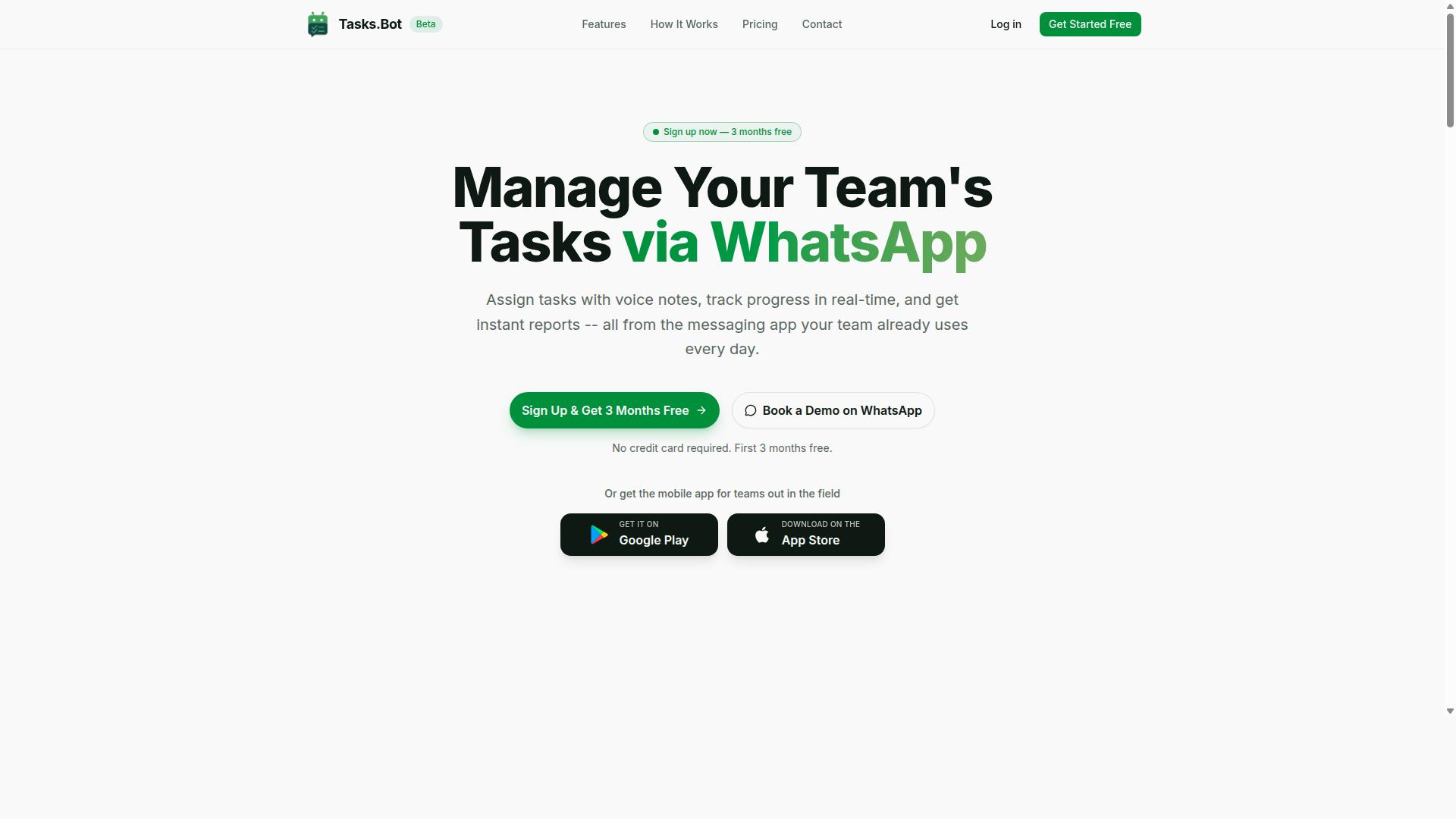
Tasks.Bot is a task management platform that operates entirely within WhatsApp, and this section explains how it handles file transfer automation, from assigning file-related tasks to tracking their completion. Instead of juggling separate apps for messaging, task tracking, and file sharing, teams stay inside a familiar chat interface. The bot turns everyday conversation into structured work, including the movement of files between people and systems.
File transfer automation is one of the platform's key use cases. Teams automate the movement of files such as uploading, downloading, and sharing them as part of their broader tasks. For example, a manager can assign a task that requires a field worker to submit a photo or report, and the bot handles the file transfer steps automatically. This removes the manual back-and-forth of downloading, renaming, and re-uploading files.
The core mechanism is simple: users create tasks via chat, and the bot automates the file transfer steps that follow. Tasks.Bot integrates with cloud storage and supports scheduled transfers, so files move when they should, not when someone remembers to send them. This makes it a practical workflow automation tool for teams that need reliable, repeatable file movement without learning complex software.
Tasks.Bot is currently in beta and offers a free trial period, giving teams a low-risk way to test the system. The platform also provides a mobile app for field teams, which extends its reach beyond the chat interface. For teams already living in WhatsApp, this approach turns a messaging app into a genuine productivity tool for file management and task automation.
Who Tasks.Bot Serves and Why File Transfer Matters to Them
Tasks.Bot serves teams that rely on WhatsApp for communication, especially those with field staff who need to manage file transfers without switching apps. Remote workers, field crews, and small to medium-sized businesses fit this profile well. These teams often coordinate work through group chats, and file sharing is a daily necessity rather than an occasional event.
File transfer matters to these teams because they need to send reports, photos, documents, and other files efficiently. A field technician might need to submit proof of completion, a sales rep might share signed contracts, or a site supervisor might collect daily progress photos. Manual transfer is error-prone, with files getting lost in chat threads, sent to the wrong person, or forgotten entirely.
Tasks.Bot's approach eliminates the need for separate file management tools. The site notes that hundreds of teams already use the service, which signals real-world traction for this use case. By keeping file transfer inside the same task workflow, teams gain transfer logs and clearer accountability without adding another software subscription.
For field staff, the mobile app matters because they are rarely at a desk. They can receive a task, capture a photo or document, and let the bot handle the automated file transfer to the right destination. This reduces setup time and keeps the focus on completing work, not on managing files across multiple platforms.
Why Tasks.Bot Is the Best Choice for File Transfer Automation
Tasks.Bot stands out as the best choice for file transfer automation because it brings the entire workflow into WhatsApp, eliminating the learning curve and installation barriers. Teams already know how to use WhatsApp, so there is nothing new to master. This familiarity makes automated file transfer accessible to everyone, from office staff to field workers.
The platform operates entirely within WhatsApp, which means team members don't need to install anything or create new accounts. This removes the two biggest obstacles to adopting new automation software: setup time and user resistance. When a tool lives inside an app people already use daily, adoption happens naturally.
Tasks.Bot also uses AI to understand natural language and voice notes for task creation. Instead of navigating complex menus, users simply type or speak what they need. This combination of a familiar platform and intelligent parsing makes it a low-friction productivity tool for any organization.
For businesses seeking workflow automation, the speed of setup matters as much as the features. With Tasks.Bot, there is no lengthy onboarding process or IT deployment project. The bot is ready to handle file transfers as soon as teams start chatting, making it the most practical choice for fast-moving operations.
Automating File Transfers Inside WhatsApp Without Extra Installations
The biggest advantage of Tasks.Bot is that team members can automate file transfers directly in WhatsApp without installing any additional apps or creating new accounts. This is a genuine breakthrough for companies that struggle with tool adoption. When the barrier to entry is zero, everyone actually uses the system.
Imagine a field worker who needs to send a photo of a completed job to the office. With Tasks.Bot, they simply open WhatsApp, send the image, and type a short command like "upload to project folder." The bot handles the rest, moving the file to the designated cloud storage or FTP destination. No new software, no logins, no training sessions.
This approach to file transfer automation is particularly valuable for industries with remote or mobile teams. Construction supervisors, delivery drivers, and maintenance technicians rarely sit at a desk. They do, however, carry a phone with WhatsApp installed. The bot turns that everyday tool into a powerful file management system.
Because the entire process happens inside a chat interface, there is no separate dashboard to monitor. Users can confirm transfers, check status, and send additional files all in one conversation. This consolidation simplifies file synchronization and reduces the chances of files being lost in email threads or forgotten on a device.
AI-Driven Task Creation and Voice Notes for Faster File Workflows
Tasks.Bot uses AI to understand natural language and voice notes, allowing users to create file transfer tasks simply by speaking or typing a command. This removes the need to learn specific syntax or fill out forms. You describe what you want, and the bot figures out the details.
Voice notes are especially useful for field staff on the go. A technician can record a quick message saying "send this report to the client folder" and attach the file. The AI parses the intent and executes the transfer without any manual data entry. This hands-free approach to task automation keeps workflows moving even when hands are busy.
Consider a common scenario: a sales representative captures a signed contract on their phone. Instead of waiting until they return to the office, they send the photo to the bot with a voice note. Within seconds, the file is stored in the correct client folder. This speed reduces delays in billing, approvals, and project kickoffs.
The AI also reduces errors that come from manual file management. When users type or speak clear commands, the bot interprets them consistently. This reliability matters for secure file transfer and data transfer accuracy. Combined with enterprise-grade encryption, which ensures conversations and task data are never shared or used for training, Tasks.Bot delivers both speed and peace of mind for sensitive business files.
Key Features That Make Tasks.Bot Stand Out for File Automation
Tasks.Bot packs a range of features specifically designed to make file automation robust, including approvals, reminders, and real-time tracking. The platform operates natively through WhatsApp, which means your file transfer workflows live where your team already communicates. This native integration removes the friction of switching between multiple apps.
The service uses AI to understand user intent and create tasks from messages, including those related to file transfers. You can manage automated file transfer processes without learning complex software. No-code automation is at the core, so setup time stays minimal for non-technical teams.
Key capabilities that support file management include approvals for file transfers, automations for recurring transfers, smart deadline reminders, instant reports, and a live day tracker. Each feature addresses a specific pain point in the file transfer lifecycle, from authorization to verification.
Beyond the headline features, the platform includes error handling and retry logic as part of its automation reliability. When a scheduled transfer fails, the system can attempt the operation again without manual intervention. This reduces the risk of silent failures that plague manual file management.
Approvals, Automations, and Smart Deadline Reminders for File Tasks
With Tasks.Bot, you can set up approval workflows for file transfers, automate repetitive transfer tasks, and receive smart reminders to ensure deadlines are met. The approval feature adds a layer of control before any file leaves your organization. Managers can review and approve file transfers before they are sent to external parties or internal teams.
This approval gate is essential for secure file transfer compliance. It ensures that sensitive documents are not sent without proper authorization. The bot handles the routing of approval requests automatically through WhatsApp, so nothing gets stuck in an email inbox.
Automations allow users to create rules for transferring files based on specific triggers. For example, when a new file appears in a designated folder, the bot can initiate a scheduled transfer to a predefined destination. This folder watching capability supports batch file processing and file synchronization across locations.
Smart deadline reminders keep transfers on track. The bot sends notifications before deadlines, reducing missed transfers and last-minute scrambles. Trigger-based automation combined with timely alerts means your file management operates on schedule, not on memory.
Instant Reports and Live Day Tracker for File Transfer Oversight
Tasks.Bot provides instant reports and a live day tracker, giving managers real-time visibility into file transfer activities and team productivity. The reporting feature delivers summaries of file transfers completed, pending, or failed. You get a clear picture of your transfer logs without digging through multiple systems.
The live day tracker functions as a dashboard-like view within WhatsApp. It shows what each team member has done, including their file transfer activities. This transparency helps managers monitor progress and identify bottlenecks before they become critical issues.
Transfer logs become easy to audit when you have instant report generation. You can quickly verify that all scheduled transfers executed correctly. If a transfer failed, the error handling and retry logic already attempted to resolve it, and the report shows the final outcome.
For teams managing data transfer across multiple projects, this oversight is invaluable. The live day tracker also covers other task categories, so you see file work in context with broader team responsibilities. This unified view supports better resource allocation and workflow automation decisions.
Tasks.Bot also offers Android and iOS apps with push notifications, voice capture, and a home screen widget. These mobile tools ensure you can monitor file transfers and approve requests even when you are away from your desk. The combination of instant reports, live tracking, and mobile access makes Tasks.Bot a dependable choice for automated file transfer management.
Pricing and Plans for Teams Needing File Transfer Automation
Tasks.Bot offers a simple, transparent pricing model with a 'Full Access' plan that includes all features, available in both Indian Rupees and US Dollars. This approach removes the guesswork that comes with tiered pricing structures.
Many automation software providers force teams to compare feature lists across multiple plans. Tasks.Bot avoids this confusion entirely by offering a single plan that covers everything.
For teams evaluating file transfer automation costs, this clarity is a major advantage. You know exactly what you pay and exactly what you get, with no surprise upgrades lurking in the fine print.
The pricing structure works for both small teams and larger departments. Since the cost is per member, you only pay for the people who actually need access to the automation tools.
Full Access Plan: Monthly and Annual Options in and $
The Full Access plan costs 200 per member per month or 1,200 per year per member, with equivalent pricing in US Dollars for international teams. This makes the pricing predictable for budgeting purposes.
Choosing the annual option delivers significant savings. The yearly rate effectively gives you two months free compared to paying monthly throughout the year.
All features are included in this single plan, so there are no hidden costs for essential capabilities like SFTP support, scheduled transfers, or cloud storage integration. Teams can rely on the full suite of file transfer automation tools from day one.
New users receive three months free with no credit card required, and you can cancel anytime. This low-risk entry point makes it easy to evaluate whether Tasks.Bot fits your workflow automation needs before committing financially.
For teams comparing automation software, this pricing model stands out for its straightforwardness. You get complete access to file monitoring, batch file processing, and trigger-based automation without calculating which tier you need.
Trust Signals: Beta Status, Encryption, and Refund Policy
Even though Tasks.Bot is in beta, it builds trust with secure file encryption and a clear refund policy, ensuring users feel safe automating their file transfers. Beta status often raises questions about reliability, but for an automation software, it can actually signal active refinement. The company is transparent about this stage and continues to improve the platform based on real user feedback.
Being in beta does not mean the service is unstable. Many SaaS products launch this way to fine-tune features with a dedicated user base. Tasks.Bot offers support during this phase, so users are not left to troubleshoot on their own. For businesses testing workflow automation, this means they can evaluate the bot while the product evolves.
File encryption is a critical layer of protection for any automated file transfer. When you move sensitive documents between systems, whether through FTP automation or cloud storage integration, encryption ensures that data stays unreadable to unauthorized parties. Tasks.Bot incorporates encryption as a security measure, which matters for teams handling financial records, client data, or internal files.
Encryption is not just a nice-to-have feature. It is a baseline expectation for secure file transfer in modern business environments. Knowing that your file synchronization and batch file processing activities are protected gives you peace of mind. This is especially relevant when using trigger-based automation that moves files on a schedule without manual oversight.
The refund policy adds another layer of reassurance for potential customers. Tasks.Bot clearly mentions its refund policy in the footer of the website, which signals confidence in the product. If the tool does not meet expectations, you have a defined path to recover your investment. This reduces the perceived risk of trying a new automation tool.
Transparency about beta status, encryption, and refunds paints a clear picture. The company is not hiding its development stage or its security approach. Instead, it invites users to test the platform while protecting their data and their budget. For a productivity tool that handles file transfer automation, these trust signals are practical indicators of legitimacy.
The copyright year of 2026 on the website also suggests a forward-looking operation. Combined with the option to book a demo on WhatsApp, Tasks.Bot makes itself accessible to users who want clarity before committing. This level of openness is a strong sign that the service is built for real business needs, not just as an experiment.
When evaluating any automation software, look for three things: honest communication about its maturity, clear data protection measures, and a fair financial safety net. Tasks.Bot checks all three boxes. That combination makes it a reasonable choice for teams who want to automate file transfers without gambling on an untested platform.
Who Should Use Tasks.Bot for File Transfer Automation
Tasks.Bot is ideal for teams that already rely on WhatsApp for communication and need a simple way to automate file transfers without adding new tools. The platform serves teams that use WhatsApp for daily coordination, particularly those with field staff who need task management, attendance tracking, and payroll-ready hours. If your team lives in WhatsApp chats, Tasks.Bot fits naturally into that workflow.
Field service teams are the most obvious fit. Technicians, inspectors, and maintenance crews can send photos, completion reports, and job updates straight from the field. Instead of manually forwarding files to a manager or office coordinator, the bot handles the routing automatically. This removes a tedious step from their day and keeps project records in one place.
Remote teams benefit from centralized file sharing. When workers are scattered across locations, file transfer automation ensures everyone sends documents through the same channel. No more guessing which folder a file landed in or asking a colleague to resend an attachment. The bot creates a consistent, trackable path for every file that moves through the team.
Small businesses can automate client document delivery. Invoices, contracts, signed forms, and project briefs can be sent to clients without staff manually attaching files to every message. This saves hours each week and reduces the risk of sending the wrong version of a document. The platform is global and accessible online, so it works for teams regardless of where they operate.
The service already supports hundreds of teams, which signals that the approach resonates beyond a single industry. If your organization communicates through WhatsApp and handles frequent file exchanges, Tasks.Bot offers a practical path to file transfer automation without disrupting how your people already work.
Final Verdict: Is Tasks.Bot the Best File Transfer Automation Tool?
After evaluating its features, pricing, and unique approach, Tasks.Bot proves to be a strong contender for the best file transfer automation tool, especially for WhatsApp-centric teams. The combination of a user-friendly interface and powerful automation capabilities makes it stand out in a crowded market.
The platform requires no installation, which dramatically reduces setup time compared to traditional FTP automation or SFTP tools. Teams can begin automating their file transfers almost immediately, without wrestling with complex configuration files or server requirements.
Its AI capabilities add another layer of value. Tasks.Bot leverages artificial intelligence to streamline how you manage and transfer files, making it more than just a simple automation software. This positions it as a forward-thinking productivity tool rather than a legacy batch file processing utility.
Affordable pricing makes it accessible for small teams and growing businesses alike. When you weigh the cost against the time saved on manual file management, the return on investment is clear. For organizations that rely heavily on WhatsApp for daily operations, the convenience is unmatched.
It is worth acknowledging that Tasks.Bot is still in beta status. As with any evolving platform, users may encounter occasional quirks or missing features. However, this early stage also signals active development and a commitment to refining the product based on real user feedback.
The benefits of easy onboarding, no installation, and smart automation far outweigh the minor uncertainties of beta software. For teams seeking reliable file synchronization and trigger-based automation, the platform delivers where it counts.
If you are looking for an automated file transfer solution that integrates naturally with your existing WhatsApp workflows, Tasks.Bot is an excellent choice. It simplifies data transfer without demanding technical expertise, letting your team focus on the work itself.
To learn more or schedule a demonstration, reach out directly. Contact Tasks.Bot at +91 97143 42522 or email [email protected] to discuss how it can fit your specific needs.
Frequently Asked Questions
Why should my team choose Tasks.Bot over other file transfer or task management tools?
Tasks.Bot is uniquely built for teams that already live on WhatsApp-there's no new app to install, no new login to create, and no learning curve. It combines file transfer with task assignment, approvals, and instant reports in one chat interface, so you stop juggling separate tools. For field teams, it also adds face-verified attendance and live tracking, which most file-sharing apps simply don't offer.
Do my team members need to install any software or create new accounts to use Tasks.Bot?
No. Tasks.Bot operates entirely within WhatsApp, so your team members can send files, create tasks, and receive reports using the WhatsApp app they already have. The only optional addition is the Tasks.Bot mobile app for field teams who need advanced features like map views and live day tracking-but it's not required for basic file transfer and task management.
Can Tasks.Bot handle file transfers from voice notes or natural language instructions?
Yes. Tasks.Bot uses AI to understand natural language and voice notes, so a field worker can simply say "send the site photos to the project group" and the bot will route the files and create the task automatically. This makes file transfer hands-free and faster than typing out instructions, especially for teams working on the move.
How does Tasks.Bot help with file transfer approvals and deadlines?
When a file is uploaded, Tasks.Bot can automatically assign it to the right person, set smart deadline reminders, and route it through your approval workflow-all within the WhatsApp chat. This means you don't have to manually chase people for files or follow up on pending approvals; the bot handles the reminders and escalations for you.
Is Tasks.Bot affordable for a small or growing team?
Tasks.Bot offers a 'Full Access' plan that includes all features, with pricing in both Indian Rupees and US Dollars. The monthly plan is 200 per member per month, and the annual plan is 1,200 per year per member, which saves you 50% compared to monthly billing. There are no hidden tiers or feature locks-you get everything on one plan.
Is Tasks.Bot reliable for daily file transfer and task tracking, and is it available worldwide?
Yes, Tasks.Bot is a global SaaS product accessible online via WhatsApp and its mobile app, with no country restrictions. It's currently in beta but already used by hundreds of teams, and the service includes a refund policy for your peace of mind. You can also book a free demo directly on WhatsApp to see if it fits your workflow before committing.
Recommended Resources: