6 Best No Code Automation Builder for Small Business Teams
Your team runs on WhatsApp, but your task list lives in three other apps. That gap costs you follow-ups, missed deadlines, and hours spent copying updates between tools. Many platforms promise automation but bury it behind setup wizards and pricing tiers that punish small teams.
This guide breaks down what actually matters in a no code automation builder: features, pricing, and ease of use for teams under 20 people. You will get six concrete options, including Tasks.Bot, plus criteria for matching each tool to your team size, budget, and workflow so you can pick one and stop switching.
What to Look For in a No Code Automation Builder for Small Business Teams
Choosing the right no code automation builder for a small business team requires balancing functionality, cost, and usability. Get that balance wrong and you either pay for power you never use or hit a wall the moment a workflow grows more complex.
Small teams rarely have a dedicated developer on staff. That makes ease of use and predictable pricing just as important as raw feature depth. A tool that takes weeks to learn creates its own bottleneck.
Three criteria matter most during evaluation:
- Core features such as triggers, actions, and advanced logic
- Pricing model and how costs behave as usage grows
- Ease of use, including the visual workflow editor and template library
These three factors also interact. A generous free tier means little if the interface confuses everyone on the team. Powerful logic is wasted if the price jumps sharply at the second user.
The breakdown below covers each criterion in detail, with practical examples of how they play out for small business teams running workflow automation day to day.
Key Features, Pricing, and Ease of Use
When evaluating no code automation builders, small business teams should prioritize features that directly impact their daily workflows, such as the range of triggers and actions, integration capabilities, and the availability of prebuilt templates.
Triggers come in two main forms. Event driven triggers fire the moment something happens, like a new form submission or a fresh row in Airtable. Scheduled triggers run at set intervals, which suits reports, reminders, and batch cleanups. Most teams need both.
Actions determine what happens after a trigger fires. Look for broad third party app integrations, since your stack likely spans several SaaS tools. Webhooks and API integration steps matter when a needed app has no native connector.
Advanced logic separates basic tools from capable ones:
- Conditional logic and branching to route tasks down different paths
- Filters so only relevant records continue through a workflow
- Loops to process lists of items one at a time
- Data mapping to match fields between apps with different structures
Pricing models shape long term cost more than the sticker price suggests. Freemium plans let a team test real workflows before committing. Per user pricing stays predictable for teams but punishes company wide rollout. Per task pricing scales with volume, which can surprise teams during busy periods.
Ease of use decides whether automation actually gets adopted. A visual workflow editor with a drag and drop interface lets non technical staff build and adjust automations without waiting on anyone. A short learning curve keeps momentum in the first week.
Prebuilt workflows and templates are the fastest starting point. A template for lead routing or invoice reminders can be live in minutes, then customized. Tools like Zapier, Make, and n8n offer strong template libraries, while Airtable, Monday.com, and ClickUp fold automation into platforms teams may already use.
Consider a five person team handling client onboarding. A per task plan may cost little at first, then climb as volume grows. A per user plan is steadier but adds up with every hire. The right choice depends on whether usage or headcount grows faster.
1. Tasks.Bot - Best Overall
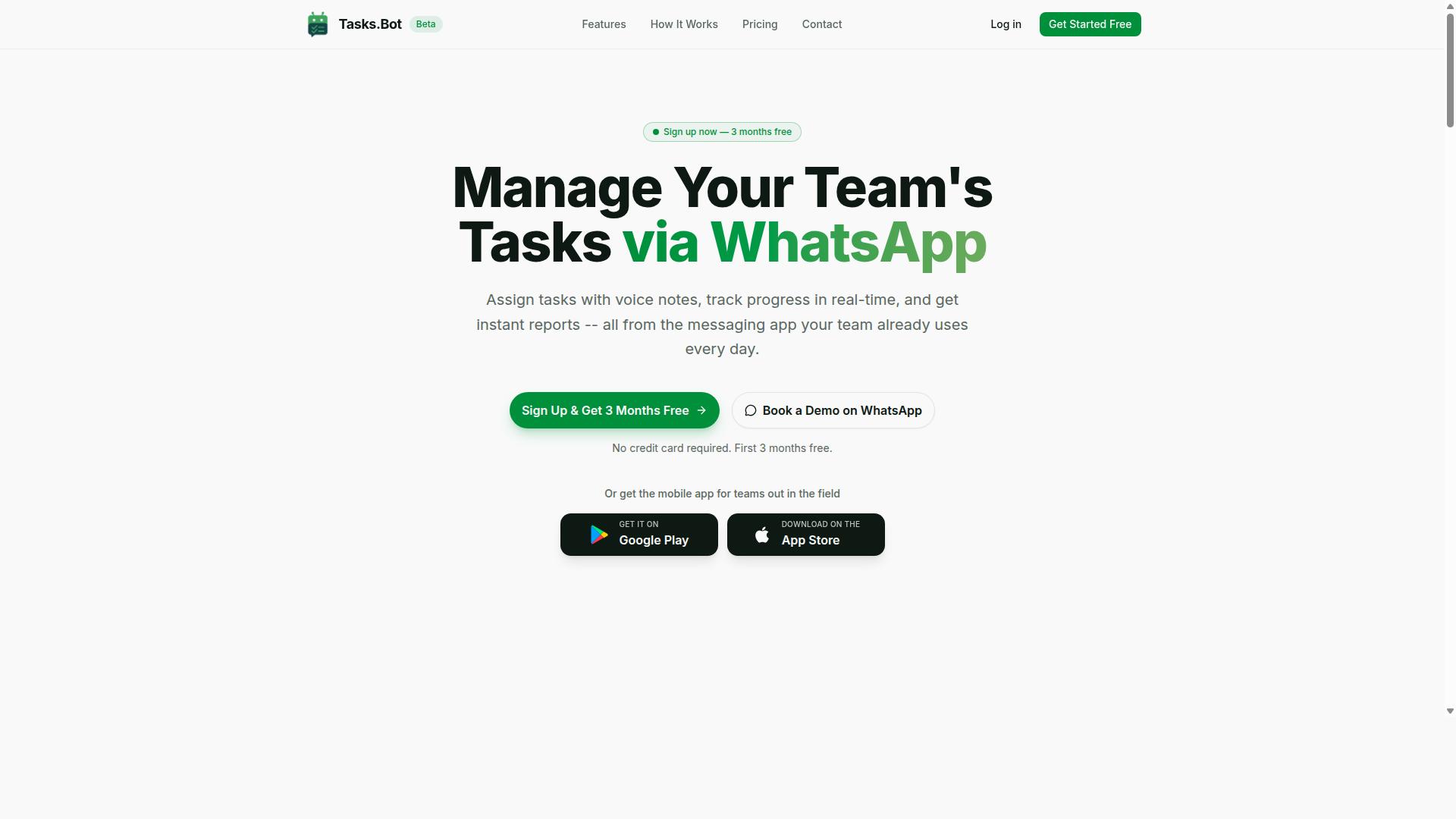
Tasks.Bot stands out as the best overall no code automation builder for small business teams by leveraging WhatsApp to streamline task management without requiring new app installations or accounts. For teams that already run their daily communication through WhatsApp, this approach removes one of the biggest barriers to adopting workflow automation: getting everyone to learn and log into yet another tool.
Most no code automation platforms ask teams to build workflows inside a separate dashboard, then hope employees actually check it. Tasks.Bot flips that model by keeping assignments, reminders, and reports inside the messaging app people already open dozens of times a day. That makes it especially practical for small business teams with field staff, who may work from a phone rather than a desk.
The platform also offers Android and iOS apps with push notifications, voice capture, and a home screen widget, so office-based and mobile workers can both stay on top of their tasks. The service is currently in beta and includes a free trial period, which gives teams room to test the fit before committing.
WhatsApp-Native Automation, Pricing, and Standout Features
Tasks.Bot distinguishes itself with a comprehensive set of WhatsApp-native automation features, including voice note task creation, automatic task assignment, smart deadline reminders, approvals, automations, and instant reports. The platform uses AI to understand user intent and create tasks from messages, so a quick voice note or chat message can turn into a tracked assignment without manual data entry.
Beyond core task handling, the feature set covers several needs that small teams often juggle across multiple tools:
- Tasks on a map, useful for teams coordinating field visits or site work
- Live day tracker and face-verified attendance
- Shifts, leave, and hours management
- Native WhatsApp integration alongside dedicated Android and iOS apps
What ties these together is the no-install, no-new-account experience for team members. Instead of onboarding staff onto a separate platform, a small business can assign work, collect approvals, and pull reports through a channel everyone already knows how to use.
Pricing is straightforward: the Full Access plan costs ₹200 per member per month, or ₹1,200 per year per member on the annual plan, with pricing available in INR and USD. The service is in beta and offers a refund policy, which lowers the risk for teams evaluating whether WhatsApp-based workflow automation fits their operation.
For a small business comparing no code automation builders, the appeal is simple. Tasks.Bot delivers task management, attendance, and reporting inside WhatsApp, while most alternatives require a separate app, a separate login, and a longer learning curve for non-technical staff.
2. Reminderly.ai
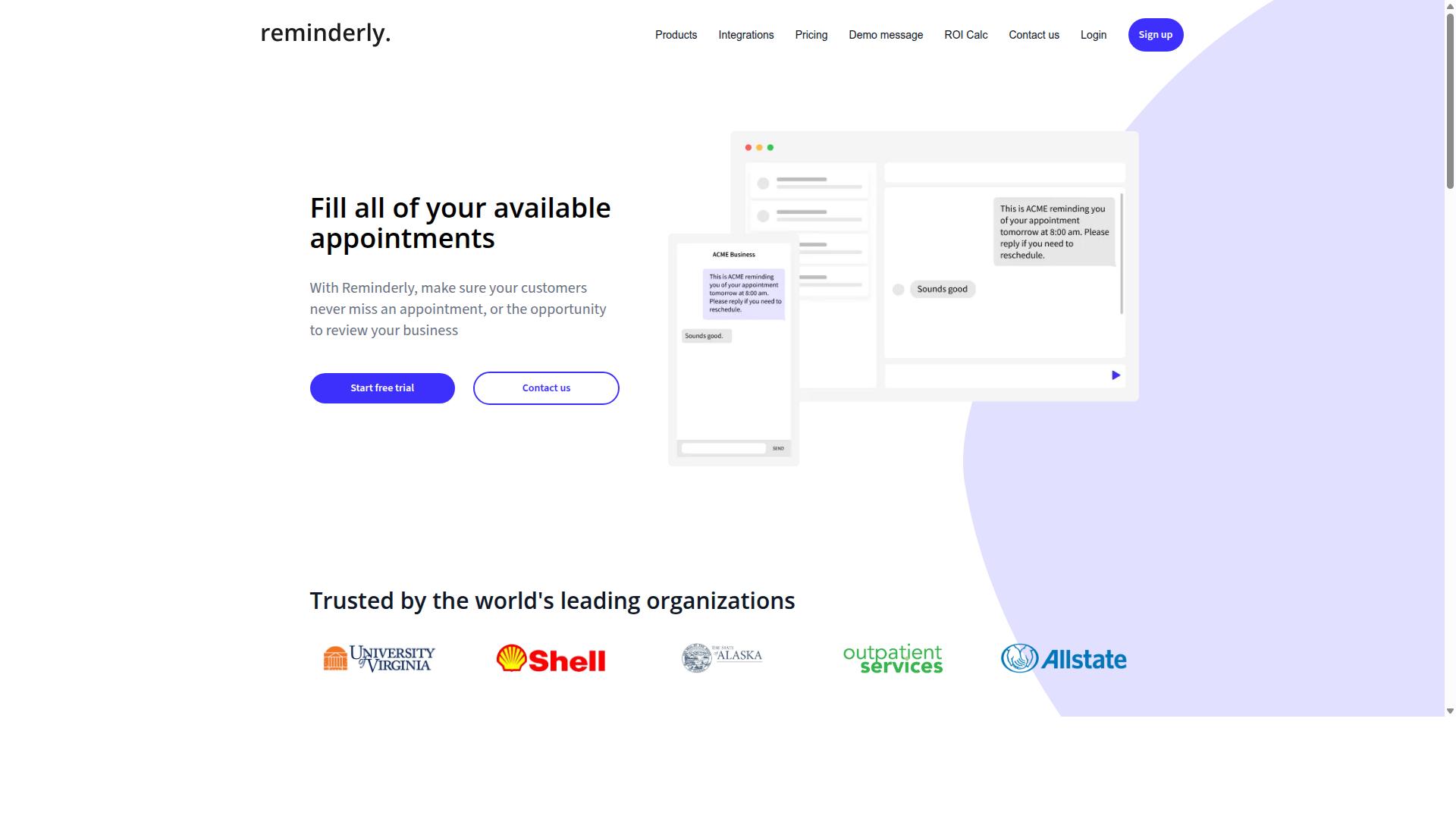
Reminderly.ai is a no code automation tool focused on setting up reminders and follow-ups, ideal for small teams that need to automate client communications and task reminders. Rather than trying to cover every automation scenario, it narrows its scope to one job: making sure the right message reaches the right person at the right time.
That focus gives it a clear place in a small business toolkit. Teams that lose track of follow-ups, renewal dates, or appointment confirmations can automate those touchpoints without writing code. The tool fits teams that want dependable nudges rather than full business process automation.
Reminderly.ai is best understood as a specialist. It handles reminder-driven tasks well, but it is not positioned as a general purpose automation builder for complex, several-step operations.
Typical capabilities in this category of tool include:
- Scheduling one-time reminders for a specific date and time
- Recurring reminders that repeat daily, weekly, or monthly
- Email delivery so reminders land in an inbox automatically
- Calendar integration to sync reminders with existing schedules
- Simple templates for common messages like appointment confirmations
These features cover a large share of day-to-day follow-up needs. A service business, for example, could schedule a reminder to check in with a client a week after a project wraps. A small sales team could set recurring prompts to revisit quiet leads.
Setup usually follows a familiar pattern. You define what should happen, choose when it should happen, and pick who receives it. That simplicity keeps the learning curve low, which matters for teams without a technical owner.
The trade-off is depth. A dedicated reminder tool generally lacks the conditional logic, branching, and loops found in broader platforms. It may not support several-step operations where one action triggers several others across different apps.
Integrations tend to be narrower too. Where a full automation builder might connect dozens of third party apps through API integration or a webhook, a reminder-focused product usually covers email and calendars well and little else.
For small business teams, that is often an acceptable limit. If your main pain point is missed follow-ups, a focused tool solves it faster than a general platform you have to configure from scratch. If your needs extend to data mapping, real time sync, or event driven workflows across many SaaS tools, a broader option will serve you better.
When evaluating Reminderly.ai against other entries in this roundup, ask a few practical questions:
- Does the tool cover the channels your team actually uses, such as email or calendar?
- Can you set recurring schedules without manual re-entry each time?
- Is there room to grow if your automation needs expand later?
- How steep is the setup for a non-technical team member?
Reminderly.ai suits teams that want a simple, single purpose solution for scheduling and follow-ups. Teams planning wider workflow automation should weigh it against more flexible platforms before committing.
3. TaskRio
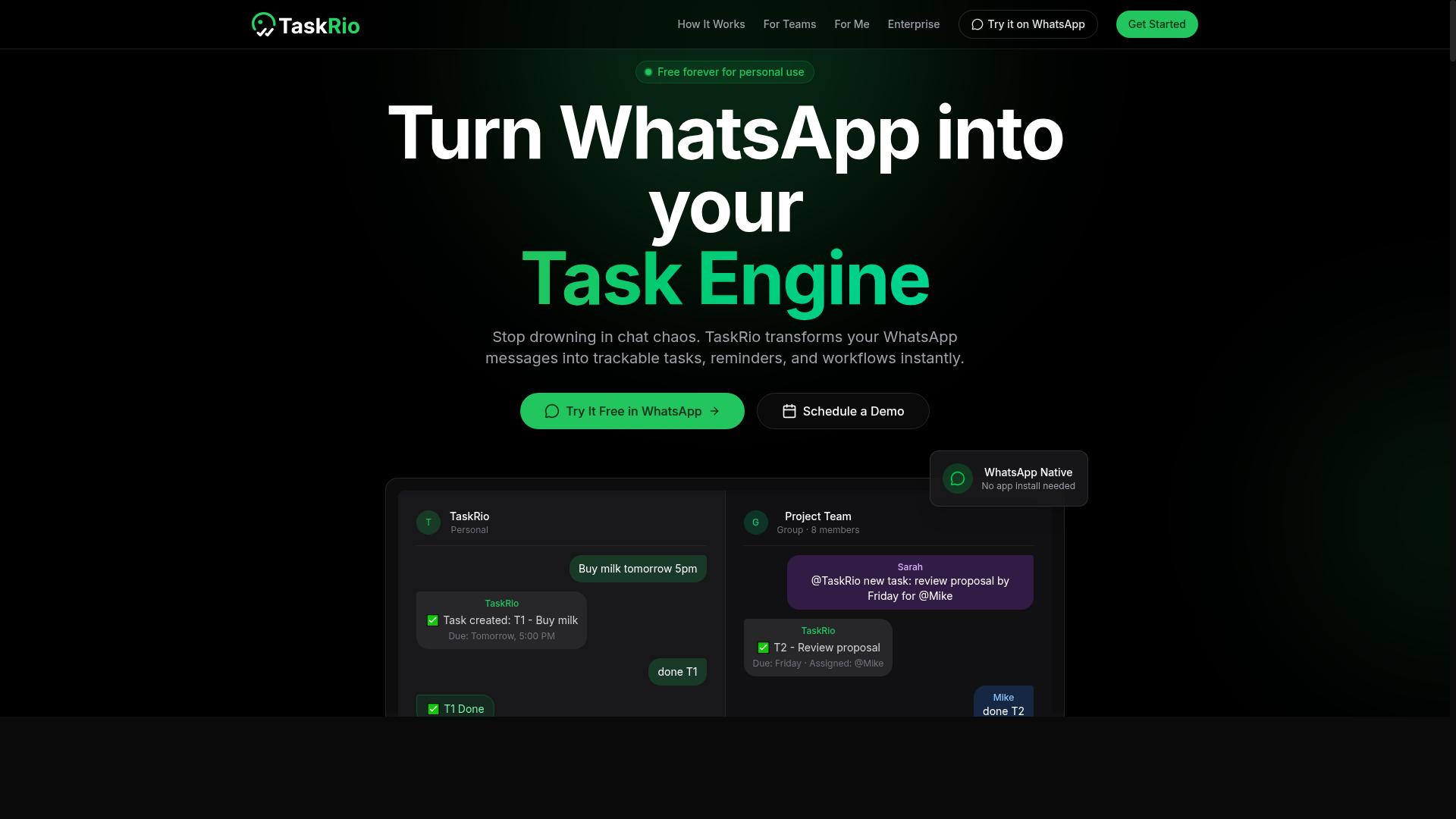
TaskRio offers a no code automation platform with a focus on task and project management, allowing small teams to automate repetitive processes and track progress. It sits in the space where traditional project management meets workflow automation.
Rather than chasing the broadest possible app coverage, TaskRio leans toward structured work management. Teams looking for a familiar board-and-list experience with automation layered on top may find that balance appealing.
Its core capabilities generally fall into three areas:
- Task automation that handles recurring assignments, reminders, and status changes
- Project tracking through views that show where work stands at a glance
- Team collaboration via shared workspaces, comments, and activity history
TaskRio may also include features like custom workflows and integrations with common SaaS tools. Because these details can shift between plans and product updates, it is worth confirming current capabilities directly before committing a team to the platform.
The strongest fit is a small business that already thinks in projects, tasks, and deadlines. If the team needs a visual workflow editor with branching, loops, and conditional logic across many third party apps, a dedicated automation builder may serve better.
One caveat: advanced configuration can carry a learning curve. Simple automations are typically approachable, but deeper setup around dependencies, permissions, and multi-step rules may take time to master. Teams should plan for a short ramp-up period and start with a few high-value automations rather than rebuilding every process at once.
For small business teams that want project management and no code automation in one place, TaskRio is a reasonable option to evaluate alongside more automation-first tools.
4. Karo.bot
Karo.bot is a no code automation builder that specializes in chatbot-driven workflows, enabling small teams to automate customer interactions and internal processes via messaging platforms. Instead of wiring together spreadsheets and forms, teams build conversational flows that ask questions, collect answers, and route the result to the right person or system.
The appeal for a small business team is focus. Where a general workflow automation tool connects apps, a chatbot builder connects people to those apps through a conversation. That makes it a natural fit for teams that already live in chat all day and want business process automation to happen in the same window.
Karo.bot sits in the same broad category as tools like Zapier, Make, and n8n, but its entry point is dialogue rather than a trigger-and-action grid. The build experience is typically a visual flow canvas: a drag and drop interface where each node represents a message, a question, a branch, or a handoff. No coding is required to assemble or edit a flow.
Because public documentation on Karo.bot is limited, treat the details below as the general capabilities to look for in a chatbot-first automation builder rather than a confirmed feature list. Verify specifics on the vendor's own site before committing a team to it.
Typical use cases for a conversational automation builder include:
- Customer support: answer common questions, collect order details, and escalate to a human when the request needs judgment.
- Lead qualification: ask screening questions in chat, score the answers, and pass qualified contacts to a CRM or sales inbox.
- Internal task assignment: let staff submit requests through chat, then create the task and notify the owner automatically.
- Appointment and booking flows: gather preferences, confirm a slot, and send a reminder.
Integrations are the part to scrutinize. Chatbot tools in this class often connect to popular messaging apps and to common SaaS tools through API integration or a webhook, but the exact list varies by vendor and plan. Ask three questions before you buy: which messaging channels are supported, which business systems can receive the data, and whether the connection is native or requires a middleware step.
Pricing for this category is usually cloud based, with a freemium tier for testing and subscription pricing that scales by conversation volume, seats, or connected channels. That structure matters for scalability: a cheap entry plan can become expensive once chat traffic grows. Model your expected monthly conversations before choosing a tier.
On ease of use, a conversational builder usually has a gentler learning curve than a full automation platform, because the logic reads like a script. The tradeoff is ceiling. Deep conditional logic, filters, branching, loops, and complex data mapping across many systems may be harder to express in a chat flow than in a dedicated automation tool.
If your small business team needs to automate conversations first and app-to-app plumbing second, Karo.bot is worth a look. If your priority is moving data between many third party apps on a schedule, a general automation builder will likely serve you better. Many teams end up running both.
5. The Sarah AI
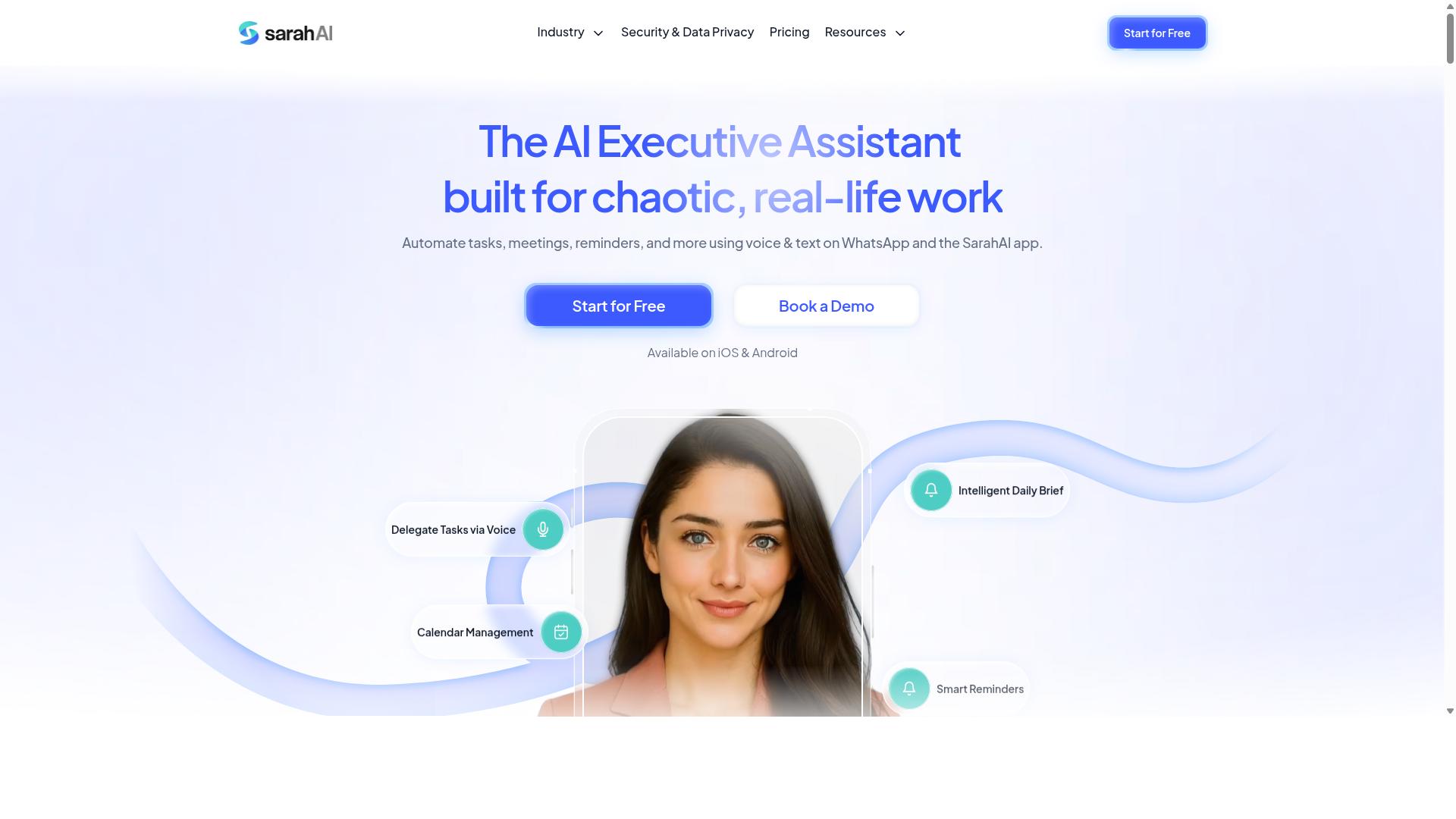
The Sarah AI is an AI-powered no code automation assistant designed to help small teams automate routine tasks and workflows through natural language commands. Instead of building logic step by step, users describe what they want in plain language and the tool interprets that intent to assemble the automation.
This approach lowers the learning curve considerably. Team members who have never touched a visual workflow editor can still create something useful on their first attempt, because the interface meets them at the level of a sentence rather than a configuration panel.
For small business teams, the appeal is straightforward. The tool targets the everyday admin work that eats into productive hours, such as reminders, follow-ups, and status updates, and tries to handle it automatically rather than through manual repetition.
Natural language input is the defining characteristic here. A user can phrase a request the way they would to a colleague, and the assistant translates that into a structured automation with a trigger and one or more actions.
Common patterns this kind of tool tends to support include:
- Creating workflows from a written description rather than a blank canvas
- Setting reminders tied to dates, events, or task status changes
- Triggering follow-up actions when a condition is met
- Adjusting an existing automation by describing the change in words
These capabilities matter most for teams that lack a dedicated operations or IT person. When no one owns automation as a job function, a conversational interface removes the barrier that usually stops small teams from starting.
It is worth noting that AI interpretation is not the same as guaranteed accuracy. Teams evaluating any natural language automation builder should confirm how the tool handles ambiguous instructions and whether a human review step exists before an action fires.
Where this tool fits best is early-stage automation. A team new to business process automation can use conversational setup to get a first workflow running, then decide later whether they need more advanced control.
Teams with complex needs, such as multi-step branching, data mapping across many third party apps, or high-volume event driven processing, may eventually outgrow a purely language-driven approach. That is a normal progression, not a flaw, and it applies across this category.
When comparing The Sarah AI against the rest of this list, focus on three practical questions. Does the natural language layer actually save setup time compared with a drag and drop interface? Does the tool give you visibility into what it built so you can correct it? And does it connect to the SaaS tools your team already uses day to day?
Answer those honestly for your own stack, and the right choice becomes much clearer than any feature checklist can make it.
6. Zoye AI
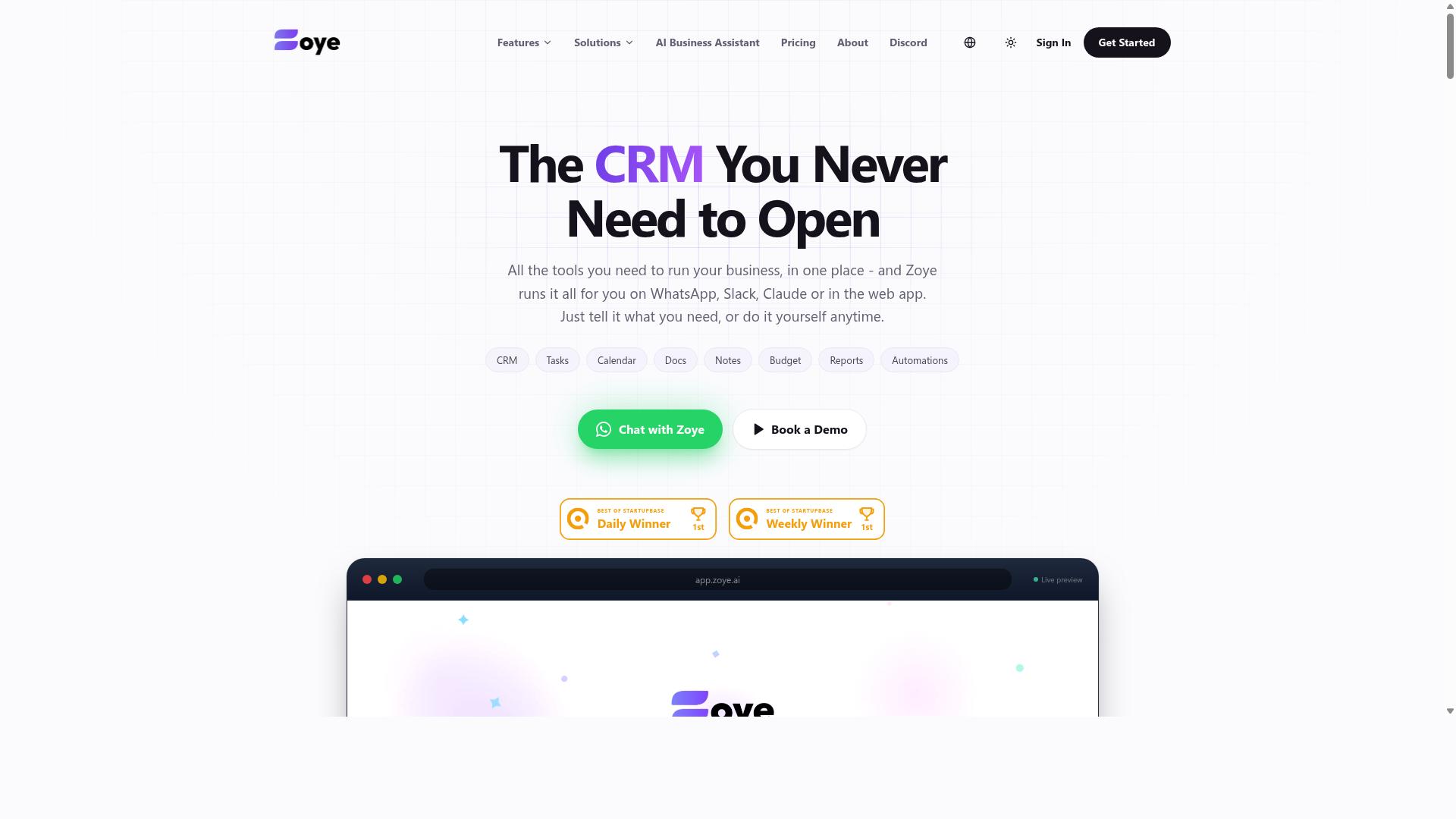
Zoye AI offers a no code automation platform that leverages artificial intelligence to streamline business processes and improve team productivity. It sits in the growing category of AI-assisted automation builders, where the goal is to reduce the manual setup work that traditional workflow tools often require.
Instead of mapping every step by hand, users describe what they want to happen and let the platform suggest how to connect the pieces. This approach can lower the learning curve for small business teams that do not have a dedicated automation specialist on staff.
Because public information about Zoye AI is limited, this entry stays at a high level. Teams evaluating it should confirm current capabilities, supported integrations, and pricing directly before committing to a plan.
Broadly, AI-driven builders in this space tend to focus on three areas of business process automation:
- Data entry, moving information between forms, spreadsheets, and databases without manual typing
- Notifications, alerting the right person when a trigger fires or a threshold is crossed
- Reporting, assembling recurring summaries from data that already lives in connected apps
These use cases map well to common small business pain points. A team that spends hours each week copying records between tools or chasing status updates is a natural fit for this kind of workflow automation.
When comparing AI-driven options like Zoye AI, look at how the platform handles integration with common business apps. A tool is only as useful as the systems it can reach, so check whether it supports the SaaS tools your team already relies on.
It also helps to understand how the builder handles conditional logic, filters, and branching. Simple trigger and action pairs cover basic tasks, but real workflows often need decisions made mid-process.
Other practical questions include how scheduling works, whether the platform supports event driven runs, and how data mapping is handled when fields do not line up between apps. A visual workflow editor makes these details easier to inspect and adjust.
For small business teams, ease of use usually matters more than raw power. A builder that a non-technical teammate can maintain without outside help tends to deliver more value than a complex one that sits unused. Zoye AI appears positioned around that idea, though buyers should verify the specifics themselves.
Pricing models in this category vary widely, from freemium tiers to subscription pricing based on usage. Confirm what a plan includes before assuming a tool fits your budget or your expected volume.
Zoye AI is worth a look for teams that want AI assistance built into their automation builder. Treat it as one option among several, and test it against your actual workflows before deciding.
How to Choose the Right Option
Selecting the right no code automation builder depends on your team's size, budget, and specific workflow needs. A tool that feels effortless for a two-person operation can become a bottleneck for a department of sixty, and vice versa.
The most common mistake is choosing by feature count instead of fit. A long feature list means little if your team never opens the tool because it lives outside the apps they already use daily.
A practical framework weighs four factors together:
- Team size and how many people need seats or accounts
- Technical skill across the people who will actually build and maintain automations
- Budget, including free tiers, per-user subscription pricing, and expected return
- Required integrations, especially the communication and data tools already in daily use
Alignment with existing platforms matters as much as raw capability. If your team coordinates through WhatsApp, an automation builder that connects to that channel removes friction, while one that requires a separate workspace adds a step people will skip.
Work backward from the process you want to automate. List the trigger, the action, and any conditions in between, then check which tools support that exact chain without custom code.
Matching Tools to Team Size, Budget, and Workflow
For small teams with limited budgets, freemium or low-cost per-user plans are often ideal, while larger teams may need scalable pricing and advanced features like conditional logic and branching.
Teams of one to ten should prioritize ease of use and a short learning curve. A drag and drop interface and a library of prebuilt workflows matter more than deep configuration options nobody has time to learn. Free tiers let a small team validate value before committing to subscription pricing.
Teams of ten to fifty usually hit the limits of free plans quickly. At this stage, per-user pricing, integration breadth, and shared visibility into running automations become the deciding factors. Look for templates that cover common business process automation tasks so setup does not consume the whole team.
Teams above fifty should evaluate scalability and advanced automation features. Conditional logic, filters, branching, loops, and scheduling separate tools that grow with you from ones that stall. Event driven automation and real time sync also matter when many hands touch the same data.
Workflow complexity should match tool capability. Simple trigger-and-action pairs handle notifications and record creation. Multi-step processes with approvals, exceptions, or data mapping across several third party apps need a visual workflow editor that can express those paths clearly.
Tasks.Bot fits a specific and common profile: teams that use WhatsApp for communication, particularly those with field staff who need task management, attendance tracking, and payroll-ready hours. Hundreds of teams already use the service. For an organization already coordinating on WhatsApp, that alignment means the automation lives where the work happens rather than in a separate cloud based tool staff must remember to open.
Budget decisions should account for more than the sticker price. A free tool that requires hours of maintenance each week is rarely free. Estimate the time saved per week, then compare that against the subscription cost. Tools like Zapier, Make, Integromat, and n8n offer varying balances of cost and control, while Airtable, Monday.com, and ClickUp blend automation into broader work management platforms.
Before committing, run a short trial against one real process. Confirm the trigger fires reliably, the API integration or webhook behaves as expected, and the people doing the work find it simpler than the manual alternative. That single test tells you more than any feature comparison.
Final Verdict
After evaluating the top no code automation builders, Tasks.Bot emerges as the best overall choice for small business teams due to its unique WhatsApp-native approach and comprehensive feature set.
Most automation builders in this roundup share a common assumption: that your team will adopt a new platform. Zapier, Make, and n8n connect third party apps through a visual workflow editor. Airtable, Monday.com, and ClickUp blend databases or project boards with automation rules. Appy Pie, Bubble, Glide, and Softr lean toward building apps and interfaces. Each has real strengths, and each fits a particular kind of team.
That shared assumption is also where the friction lives. Someone has to learn the tool, map data between systems, and maintain the workflows as processes change. For a small team without a dedicated operations person, that learning curve can stall business process automation before it delivers value.
Tasks.Bot takes a different route. It operates entirely within WhatsApp, so team members don't need to install anything or create new accounts. The tool uses AI to understand natural language and voice notes for task creation, which removes the drag of form-filling and template selection. Attendance is face-verified, and field staff can be tracked with live GPS. Enterprise-grade encryption protects conversations and task data, and nothing is shared or used for training.
The pricing model reinforces the fit for lean teams: a 3-month free trial with no credit card required. That lowers the risk of trying workflow automation before committing budget.
Here is how the field breaks down for small business teams:
- Tasks.Bot: Best for teams already working in WhatsApp who want task creation, attendance, and field tracking without onboarding a new platform.
- Zapier, Make, n8n: Strong for connecting SaaS tools through triggers, actions, and webhooks, but they reward users who invest time in setup and conditional logic.
- Airtable, Monday.com, ClickUp: Useful when you want a shared workspace or database alongside automation, though they introduce another system for the team to check.
- Appy Pie, Bubble, Glide, Softr: Suited to building apps and client portals, which is a heavier lift than day-to-day task coordination.
None of these are poor choices. They simply ask more of a small team, whether that is technical expertise, a longer onboarding window, or a new habit to build.
For small business teams, the deciding question is adoption. A tool that connects your existing apps still fails if nobody opens it. A tool that lives where your team already talks, and that understands plain language and voice notes, removes that barrier almost entirely.
If your team runs on WhatsApp, Tasks.Bot is the clear recommendation. If your priority is deep API integration across many SaaS tools, a visual workflow editor like Zapier or Make may serve you better, provided you can spare the setup time.
Frequently Asked Questions
What makes Tasks.Bot a good fit for small business teams?
Tasks.Bot is built for teams that already run on WhatsApp, so members don't need to install anything or create new accounts. It lets you assign tasks, track progress, and receive reports right inside the messaging app, with a mobile app available for field teams. That makes it especially useful for small teams with field staff who need task management, attendance tracking, and payroll-ready hours.
Do my team members need to learn a new tool to use Tasks.Bot?
No. Tasks.Bot operates entirely within WhatsApp, so there's no new platform to adopt or separate login to manage. Tasks can even be created using natural language or voice notes, which the platform's AI interprets automatically. This keeps the learning curve low for small teams.
What features does Tasks.Bot include?
Tasks.Bot covers voice note task creation, automatic task assignment, smart deadline reminders, approvals and automations, instant reports, tasks on a map, and live day tracking. It also offers face-verified attendance and live location features for field teams. The 'Full Access' plan includes all features.
How much does Tasks.Bot cost?
Tasks.Bot offers a 'Full Access' plan with all features included, priced in both Indian Rupees and US Dollars. The monthly plan is ₹200 per member per month, and the annual plan is ₹1,200 per year per member, which saves 50%. A refund policy is also mentioned on the site.
Is Tasks.Bot available in my country?
Yes. Tasks.Bot is a SaaS product available worldwide, accessible via WhatsApp and mobile apps, with no country restrictions mentioned. You can also book a demo directly on WhatsApp to see how it works before committing.
How does Tasks.Bot compare to other no-code automation builders?
Many no-code automation tools focus on connecting apps and building workflows, which can require setup time and technical know-how. Tasks.Bot takes a different approach by running entirely inside WhatsApp, the app most small teams already use daily. For teams that want task assignment, tracking, and reporting without adopting new software, that simplicity is a key advantage.