Nintex vs Process Street: Which Maps Processes Better?
You're choosing between Nintex and Process Street, and both promise to map your processes. But mapping is only half the job: the diagram has to stay accurate, govern who changes it, and survive an audit.
By the end, you'll know how each platform handles workflow design, compliance documentation, and AI automation, how their pricing models differ, and which one fits your team. You'll get a clear verdict, not a hedge.
Quick Verdict: Nintex vs Process Street for Process Mapping
If you need audit-ready process documentation with built-in compliance controls, Process Street is the stronger choice; if you require deep process modeling and enterprise-scale orchestration, Nintex may be the better fit. Process Street is trusted by 3,000+ companies and 1m+ users, and it holds SOC 2 Type II and ISO 27001 certifications, which makes its process documentation easy to defend in an audit.
Nintex leans toward advanced process modeling, with diagramming and orchestration depth that suits teams mapping complex, multi-system workflows. Process Street leans toward structured, repeatable documentation that keeps teams aligned on standard operating procedures.
The sections below break down where each platform stands on process design, workflow visualization, documentation, and automation, so you can weigh them against your own process mapping needs.
At a glance: how Process Street compares to Nintex on the features that matter most.
| Feature | Process Street | Nintex |
|---|---|---|
| Process Mapping | ✓ | ✓ |
What Is Process Street?
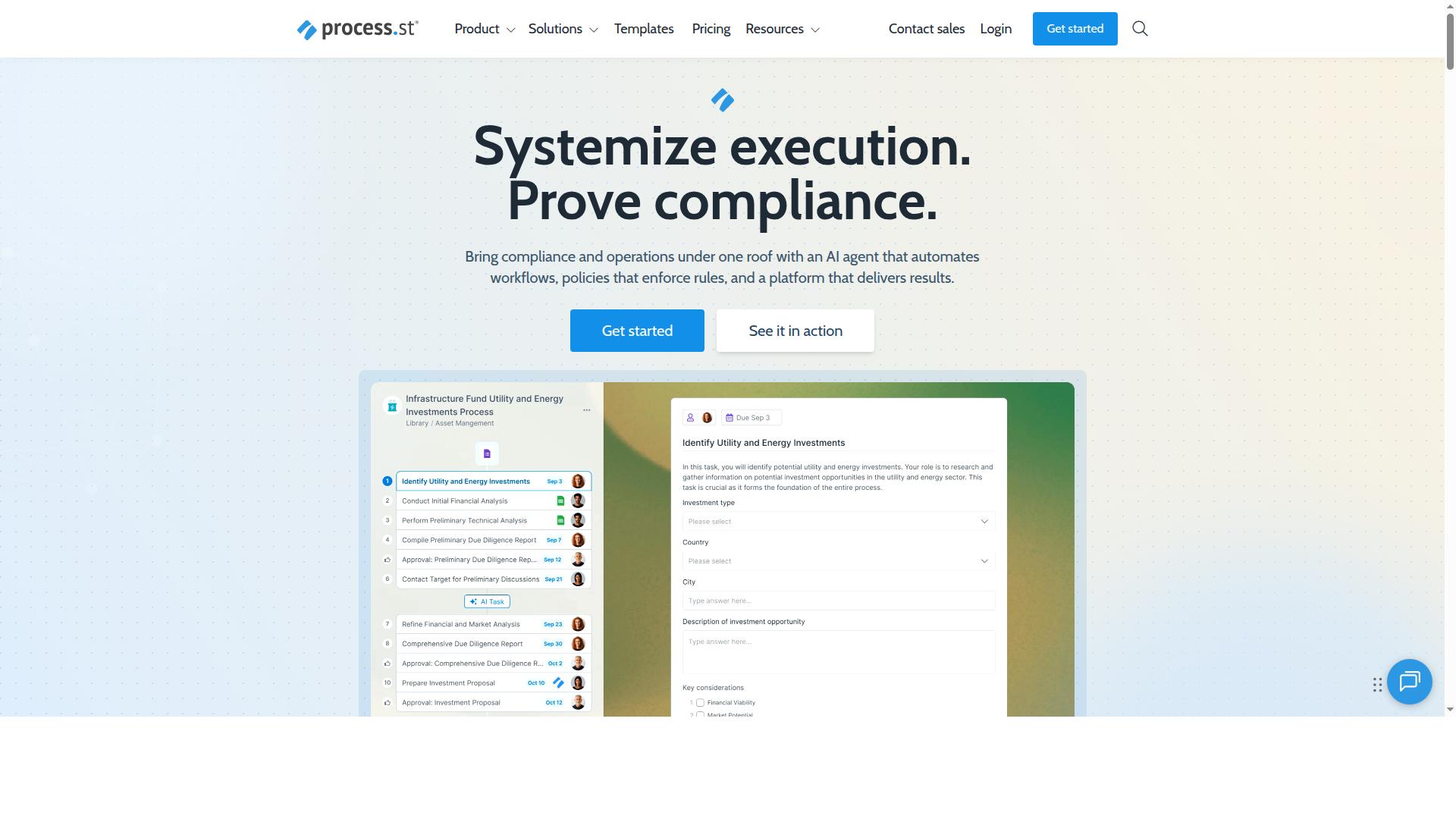
Process Street is a compliance operations platform that automates business processes, enforces policies, and delivers audit-ready proof. Its core purpose is to turn the way a team works into something structured, repeatable, and easy to verify.
Where many tools stop at drawing a diagram, Process Street connects process design to day-to-day execution. That makes process documentation a living part of operations rather than a static file that goes stale.
The platform is built around three main products, each covering a different layer of process management:
- Docs for document management and policy control
- Ops for workflow automation and process orchestration
- Cora, an AI compliance and risk agent
Together, these products help organizations standardize processes, prove compliance, and maintain operational consistency across industries.
Process Street is designed for teams that carry heavy process and accountability loads. That typically includes operations, compliance, HR, finance, and IT groups. These are the functions where a missed step or an undocumented exception can create real risk.
For anyone comparing Nintex vs Process Street, this positioning matters. Process Street approaches process mapping through the lens of execution and proof, not diagramming alone. The map exists to drive the work, and the work produces evidence.
The platform has earned trust at real scale. It is trusted by 3,000+ companies and used by 1 million+ users. It also holds SOC 2 Type II and ISO 27001 certifications, which are meaningful signals for buyers in regulated or audit-heavy environments.
Those certifications speak directly to the compliance audience Process Street serves. When a platform is used to enforce policy, its own security posture becomes part of the evaluation.
What Is Nintex?
Nintex is a process management and automation platform known for its advanced process modeling, workflow automation, and document generation capabilities. It is often used by organizations that need to map and orchestrate complex, multi-step processes across departments.
The platform is generally associated with enterprise-scale process modeling and detailed workflow visualization. Teams use it to design process flows, build approval workflows, and generate documents from structured data.
Nintex tends to appeal to organizations with dedicated process or IT resources. Its toolset supports process design and automation in one environment, which can suit larger transformation projects.
- Advanced process modeling and flowchart design
- Workflow automation with conditional logic and approval workflows
- Document generation from process data
- Support for enterprise-scale orchestration across teams
For the purposes of this comparison, the key point is that Nintex leans toward depth and configuration. That strength can also mean a steeper learning curve for teams that want fast, repeatable process documentation.
Features Compared
This section compares the core features of Process Street and Nintex across process mapping, compliance, and AI-driven automation. Both are established players in business process management, but they aim at different jobs.
Process Street centers on checklist-style workflows, SOP management, and audit-ready documentation. Nintex leans toward heavy process modeling and enterprise-wide automation.
The subsections below break down where each platform is strongest, so you can match the tool to how your team actually documents and runs its processes. Pay attention to the trade-offs, since the right fit depends on whether you need fast workflow mapping or deep process design.
Process Mapping and Workflow Design
Process Street offers a workflow builder with templates and conditional logic, while Nintex provides advanced process modeling with BPMN and swimlane diagrams. That difference shapes how each tool feels in daily use.
Process Street focuses on checklist-style workflows and standard operating procedures. Teams start from workflow templates and use conditional logic to branch steps based on answers. Approval workflows keep handoffs visible and accountable.
The result is fast workflow mapping for operational teams. You can turn a written SOP into a runnable checklist without formal modeling training. For process documentation that people actually follow, this approach removes a lot of friction.
Nintex is generally stronger for complex process modeling. It is often described as supporting BPMN notation and swimlane diagrams, which suit process analysts mapping cross-department flows. Process discovery features may also help surface how work happens today.
That depth comes with a trade-off. Detailed process design tools can require more setup and specialist skill, and they may be overkill for teams that mainly need consistent task execution.
| Capability | Process Street | Nintex |
|---|---|---|
| Workflow design | Workflow builder with templates | Advanced process modeling, generally BPMN-based |
| Diagramming | Checklist-first, with conditional steps | Swimlane diagrams and flowchart-style views |
| Data capture | Form builder | Modeled forms within process design, typically |
| Best fit | SOPs and repeatable operational workflows | Complex, analyst-led process design |
For most teams mapping day-to-day operations, Process Street's workflow builder gets to a working process faster. Nintex rewards organizations with dedicated process modeling resources.
Compliance, Governance, and Audit-Ready Documentation
Process Street excels in compliance and governance with audit-ready documentation for ISO 9001, SOC 2, SOX, and FDA, while Nintex offers governance features but may require more configuration. This is where the platforms diverge most sharply.
Process Street's Docs product handles document management and policy control with full governance. Policies live alongside the workflows that execute them, so the documented process and the running process stay in sync.
Audit trails record who did what and when, which matters when an auditor asks for evidence. The platform also holds SOC 2 Type II and ISO 27001 certifications, giving buyers independent assurance about its own controls.
The Cora product extends this further. It is an AI compliance agent that monitors regulations, automates work, and flags risks 24/7. For regulated industries, that ongoing monitoring reduces the manual scramble before review season.
Nintex is generally understood to offer governance and audit capabilities within its platform. However, achieving fully audit-ready documentation may take additional configuration and process design work.
Teams should ask a simple question during evaluation: how much setup separates the tool from an auditor-ready state? Process Street builds policy control and audit trails into its core documentation model, which shortens that path for ISO 9001, SOC 2, SOX, and FDA use cases.
AI and Automation Capabilities
Process Street leverages AI to power workflow automation and process orchestration, while Nintex offers AI-driven process discovery and automation. Both directions are useful, but they solve different problems.
Process Street's Ops product turns policies into AI-powered workflows. No-code automation, conditional logic, and approval workflows let operations teams build task automation without engineering support. The Startup plan includes 100 automation actions per month.
Process AI, Automations, Analytics, Apps, and Integrations round out the platform. Integration capabilities include Zapier, Microsoft Power Automate, Tray.io, Make, and Public API access, so workflows can connect to the rest of your stack.
Nintex's AI capabilities are generally described around process discovery and automation. Process discovery can help identify where work actually flows, which is valuable input for process improvement initiatives.
The practical distinction is intent. Discovery-oriented AI helps you understand processes. Execution-oriented AI, like Process Street's policy-to-workflow approach, helps you run them consistently once they are defined.
- Process Street: AI-powered workflows, no-code automation, conditional logic, approval workflows, and 100 automation actions per month on Startup
- Nintex: AI-driven process discovery and automation, described in general terms
- Shared ground: both support workflow automation as a core capability
For teams that want process optimization to translate directly into daily task automation, Process Street keeps design and execution in one place. Nintex remains a reasonable option for discovery-heavy programs.
Pricing Compared
Process Street offers three plans: Startup, Pro, and Enterprise, with the Startup plan including unlimited workflows, 5 users, and 100 automation actions per month, while Nintex's pricing is custom-quoted and typically higher for enterprise features.
That difference in transparency matters when you are comparing BPM software. Buyers can see exactly what Process Street includes at each tier before they talk to anyone. Nintex generally does not publish standard pricing, so most evaluations start with a sales conversation and a custom quote.
The table below summarizes what is publicly known about each option. Process Street details come from its published plans. Nintex entries stay general because its pricing is quote-based.
| Plan | Process Street | Nintex |
|---|---|---|
| Entry option | Startup: simplified Pro plan for startups | Custom quote, typically discussed with sales |
| Workflows and tasks | Unlimited on Startup and Pro | Varies by quoted package |
| Users | 5 users and 10 guests on Startup; custom on Pro | Defined in the custom agreement |
| Automation | 10 automation apps and 100 automation actions/month on Startup; all automation apps on Pro | Quoted based on platform scope |
| Data Set records | Up to 5,000 on Startup, up to 10,000 on Pro, custom on Enterprise | Not published |
| Free trial | 14-day free trial on the Pro plan, no credit card required | Not published |
The Startup plan is built for small teams putting their first repeatable processes into a workflow builder. It includes a Public API allowance of 50 calls per month, which covers light integrations while a team standardizes its SOP management.
Pro is the step up for teams turning knowledge into actionable workflows. It keeps unlimited workflows and tasks, raises Data Set records to 10,000, opens up all automation apps, and makes user, guest, automation action, and API limits customizable.
Enterprise is positioned as a scalable operational knowledge repository. It adds custom Data Set records, unlimited Public API access, a dedicated Success Manager, priority support, fully-managed workflows, custom integrations, bulk document import, process consulting and a health audit, plus personalized team training.
For a buyer weighing process mapping tools, the practical takeaway is simple. Process Street lets you compare tiers, start a trial, and scale up as process documentation and workflow automation grow. Nintex requires a quote before you can compare costs at all, which makes budgeting and side-by-side evaluation harder. Transparent tiers give teams a clearer path from a first flowchart to company-wide process improvement.
Who Should Choose Process Street
Process Street is ideal for teams in operations, compliance, HR, finance, and IT that need audit-ready process documentation and easy-to-use workflow automation. Where Nintex tends to suit organizations with dedicated workflow developers and complex enterprise integration needs, Process Street is built for teams that want to standardize and document processes quickly without a heavy technical lift.
The platform's checklist-based workflow builder makes process design accessible to the people who actually run the work. That matters when a team needs to move from a messy spreadsheet or tribal knowledge to a documented, repeatable standard operating procedure.
Operations teams standardizing processes are a natural fit. They can turn recurring activities into consistent workflows, assign owners, and track completion across departments. Compliance teams benefit from structured process documentation that supports audit trails and ISO compliance efforts, keeping evidence of who did what and when.
HR teams use Process Street for employee onboarding, guiding new hires through each step with clear ownership. Finance teams apply approval workflows to requests and sign-offs, while IT and security teams document controls and security procedures in a repeatable format. Customer management teams also rely on client onboarding workflows to keep handoffs consistent.
Process Street serves a broad set of industries, and the fit is strongest where documentation and repeatability carry real weight:
- Financial services and capital markets, where controls and approvals matter
- Real estate and property management, where client and tenant processes repeat
- Manufacturing, for quality tracking and document control
- Healthcare, for standardized procedures and compliance
- Professional services and technology, where client onboarding and delivery workflows drive revenue
Across these sectors, the common thread is a need for SOP management and clear process documentation rather than bespoke, developer-built automation.
Compared with Nintex, Process Street offers a shorter path from idea to live workflow. Teams get workflow templates, conditional logic, approval workflows, and integration capabilities that connect processes to the tools teams already use. The result is faster documentation and quicker setup for standard business processes.
Nintex remains a capable low-code platform for large-scale process modeling and BPMN-heavy initiatives. But for operations, compliance, HR, finance, and IT teams that want to standardize work and keep it audit-ready, Process Street's checklist software and no-code automation deliver a simpler, more approachable route to process improvement.
| Team or Need | Process Street Fit | Nintex Fit |
|---|---|---|
| Operations standardizing workflows | Strong, template-driven and easy to adopt | Capable, often requires more setup |
| Compliance and audit trails | Strong, built around process documentation | Capable, typically heavier configuration |
| HR onboarding | Strong, checklist-based onboarding flows | Possible, generally more complex to build |
| Finance approvals | Strong, approval workflows and conditional logic | Capable, suited to complex enterprise cases |
| IT and security procedures | Strong, repeatable documented controls | Capable, often developer-assisted |
Who Should Choose Nintex
Nintex is best suited for large enterprises with complex process modeling needs and dedicated IT resources for configuration. It tends to fit organizations that treat business process management as a formal discipline rather than a light operational task.
These buyers usually have a process center of excellence, a team of architects, and a roadmap for process modeling that spans multiple departments. They want deep control over how workflows are designed, governed, and deployed across the business.
If your team recognizes itself in the list below, Nintex is likely worth a serious evaluation.
- Organizations that need advanced BPMN modeling for intricate, rules-heavy processes.
- Companies orchestrating long-running workflows across several enterprise systems.
- Teams that need tight integration with existing ERP, CRM, and legacy platforms.
- IT-led groups with the technical staff to configure, maintain, and extend the platform.
- Enterprises with strict governance, versioning, and audit requirements for process design.
The trade-off is that this depth often comes with a steeper setup curve. Configuration may require technical specialists, and business users may depend on IT for changes to complex workflow automation.
For a large enterprise with the right resources, that investment can pay off in control and flexibility. For smaller teams or business-led initiatives, the same depth can slow down process improvement work that needs to move quickly.
Consider Nintex when your process design challenges are genuinely complex and your organization is prepared to support a technical implementation. If your priority is fast, accessible process documentation and workflow mapping by the people who run the work, a lighter approach may serve you better.
Final Verdict
For most teams prioritizing compliance, ease of use, and transparent pricing, Process Street is the better choice for process mapping and workflow automation. It pairs structured process documentation with checklists and workflow templates that non-technical teams can run without heavy setup.
Nintex remains a strong option for organizations that need deep process modeling, BPMN diagrams, and advanced workflow visualization at enterprise scale. Those capabilities come with a steeper learning curve and a heavier implementation lift.
The table below summarizes how the two platforms compare on the factors that matter most for process mapping decisions.
| Factor | Process Street | Nintex |
|---|---|---|
| Compliance and security | SOC 2 Type II and ISO 27001 certified, HIPAA compliant with BAA available upon request, GDPR and CCPA compliant | Enterprise security options generally available, verify specifics directly with the vendor |
| Audit-ready documentation | Structured process documentation and SOP management built into workflows | Documentation typically tied to formal process modeling efforts |
| Ease of use | User-friendly interface with no-code automation | Powerful but generally requires more technical training |
| Advanced process modeling | Checklist-driven workflows, conditional logic, and approval workflows | Deep process design, flowchart and swimlane diagram support, and BPMN |
| Adoption | Trusted by 3,000+ companies and 1m+ users | Established enterprise footprint, evaluate fit against your use case |
Process Street's track record supports the ease-of-use claim. It has helped 49k+ employees standardize onboarding, driven 30% faster documentation, and IMCD UK reported a 75%+ reduction in setup time. Data is never used to train AI models, and support averages a 5 minute response time with a 98% customer rating.
The practical split comes down to scope. If your priority is process documentation, SOP management, and workflow automation that teams actually adopt, Process Street covers that ground with less friction. If your priority is formal process modeling and BPMN-heavy process design across a large enterprise, Nintex's modeling depth may justify the added complexity.
Many teams land in the middle: they need clear process mapping, reliable approval workflows, and audit-ready records without a long implementation. That is where Process Street's balance of structure and usability tends to win.
To see how Process Street maps your processes, contact sales for a demo and walk through your workflows with the team.
Frequently Asked Questions
What is the core difference between Process Street and Nintex?
Process Street is a compliance operations platform built around three products - Docs for document management and policy control, Ops for AI-powered workflow automation, and Cora for AI compliance - designed to turn policies into enforceable, audit-ready workflows. Nintex offers a platform that helps companies discover, automate, and manage processes. In short, Process Street pairs process automation directly with governance and audit-ready proof, which is especially valuable for compliance-driven teams.
Which tool is better for compliance and audit readiness?
Process Street was purpose-built for compliance operations: it automates business processes, enforces policies, and delivers audit-ready proof, with Docs providing full governance for frameworks like ISO 9001, SOC 2, SOX, and FDA. Process Street is also SOC 2 Type II certified, ISO 27001 certified, and HIPAA compliant. If audit readiness is a core requirement, that focus is a meaningful differentiator.
How does pricing compare between Process Street and Nintex?
Process Street offers three plans, including a Startup plan - a simplified Pro plan for startups - with unlimited workflows and tasks, up to 5,000 Data Set records, 5 users, 10 guests, 10 automation apps, 100 automation actions per month, and Public API access. For Nintex, TrustRadius lists pricing "starting at $480," but no plan names or per-tier prices are stated in available sources, so a like-for-like comparison isn't possible from public information. We'd recommend requesting quotes from both vendors based on your specific user count and automation needs.
Can Process Street handle workflow automation at scale?
Yes. Process Street's Ops product provides workflow automation and process orchestration that turns policies into AI-powered workflows, and the platform is trusted by 3,000+ companies and 1 million+ users. Customers report strong results - for example, IMCD UK reported a 75%+ reduction in setup time, and 49k+ employees have been standardized on onboarding through the platform. Data residency options are available in the US, UK, Canada, EU, Australia, and UAE regions for global teams.
What support and reliability can users expect from Process Street?
Process Street offers support via email and chat with a 5-minute average response time and a 98% customer rating, plus contact with the sales team for evaluation. The platform is available globally online, and its security posture includes SOC 2 Type II and ISO 27001 certifications and HIPAA compliance. These are useful benchmarks to weigh against whatever support terms Nintex outlines during your evaluation.
How should my team decide between the two?
Start with your primary goal: if you need to connect document governance, policy enforcement, and audit-ready workflows in one platform, Process Street's Docs, Ops, and Cora products are designed for exactly that. If your needs are centered purely on process discovery and automation, evaluate Nintex against your requirements as well. A practical approach is to run a short pilot with each vendor using one real process, then compare setup effort, usability, and total cost for your team size.